
Testimonial Video with Cards Module helps you showcase customer video testimonials, client reviews, and success stories in a modern, engaging layout. Combine an interactive testimonial video with beautifully designed review cards featuring client details, company information, profile images, and compelling feedback to build trust and credibility. Fully responsive and highly customizable, this module is designed to boost user engagement, strengthen social proof, and enhance the professional appearance of your HubSpot website.
Key Features Testimonial Video with Cards Module :
-
Video Testimonial Support : Showcase customer success stories with engaging video testimonials to build trust, credibility, and stronger connections with your audience.
- Custom Video Thumbnail & Play Button : Add custom video thumbnails with an attractive play button overlay to encourage visitors to watch testimonial videos.
-
Responsive Design: Adjusts seamlessly across devices, from desktops to mobile screens.
-
Customizable Styles: Fully customizable with CSS variables for themes, fonts, colors, and animations.
-
Performance Optimization: Lightweight animations optimized to ensure smooth interactions without lag.
- Flexible Content Management : Easily update review text, client details, images, and ratings without modifying code.
How to Set Up the Testimonial Video with Cards Module in HubSpot :
In the main dashboard, navigate to the ‘Content’ tab and select either ‘Website’ or ‘Landing Pages’, depending on where you want to add the section. This allows you to choose the appropriate location for managing or updating your content.
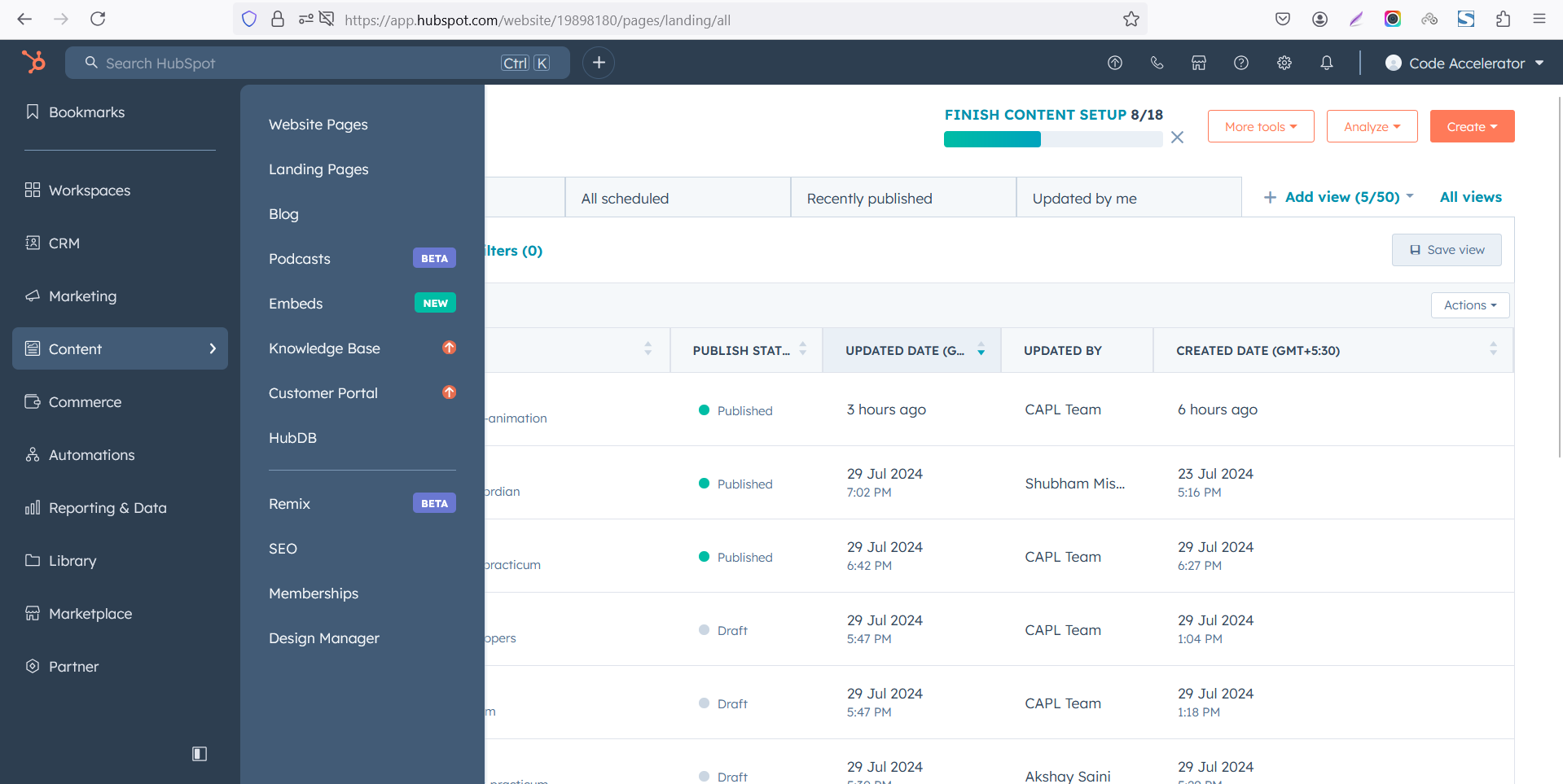
Select the page where you want to apply the module.
-Feb-13-2026-06-36-17-9723-PM.png)
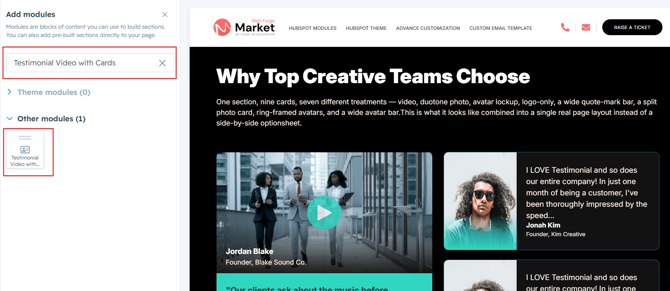
Search for "Testimonial Video with Cards" and drag and drop the module into the desired location on your page.
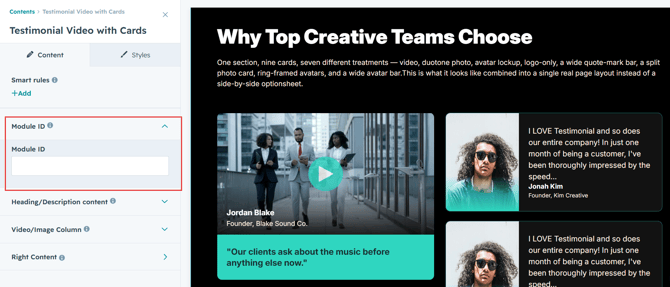
Module Defaults Options:
Layout ID :
To enable smooth scrolling for a CTA, assign an ID to the target element, reference that ID in the anchor link's href, and clicking the CTA will smoothly scroll the page to the section.
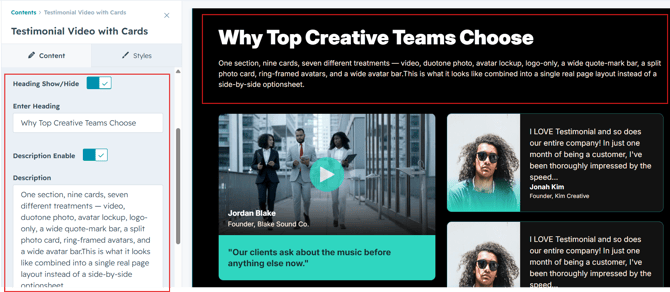
Heading & Description :
Easily customize the content in your module by modifying the "Heading," "Description. You can also choose to hide the section if desired, giving you complete control over the presentation and functionality of your content.
Options :
- Heading/Description Show/Hide Toggle
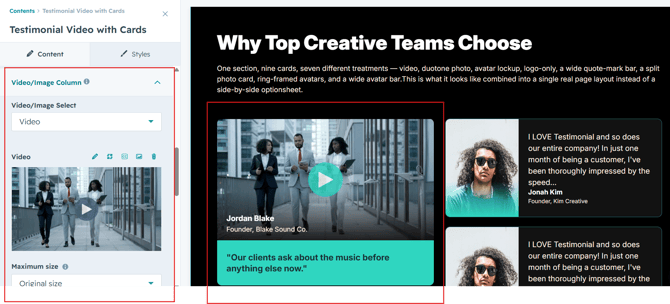
Video Columns Content :
Video Source
Upload a video it using a supported video URL to showcase authentic customer experiences.
Client Information
Display the client's name, designation, company name, and profile image beneath or over the video.
Quote Text
Highlight a memorable customer quote to reinforce the testimonial and build credibility.
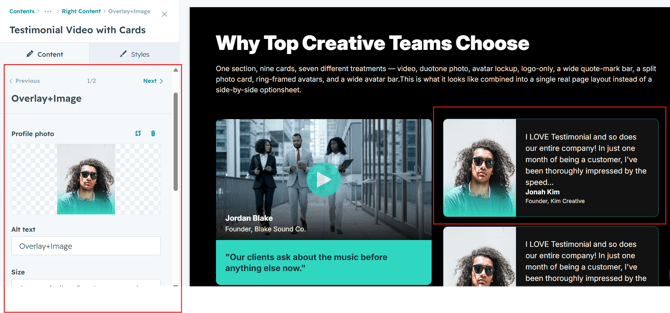
Right Columns Content :
Client Image
Upload a profile image for each reviewer to make testimonials more authentic and trustworthy.
Client Name
Display the customer's name to personalize each testimonial and build credibility.
Designation & Company
Show the client's job title and company name to strengthen social proof and establish authenticity.
Testimonial Content
Add customer feedback or success stories that highlight positive experiences with your products or services.
Module Style Options:
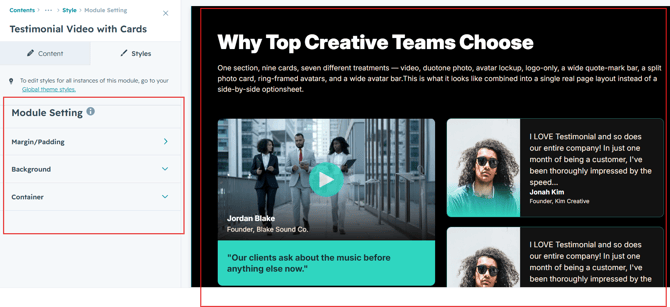
Module Setting :
Adjust the margins, padding, background colors, and container width to customize the module's appearance. This flexibility lets you refine the layout and aesthetics, creating a visually appealing, functional, and user-friendly design.
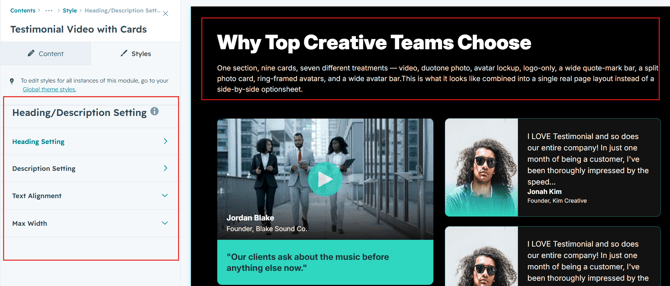
Heading & Description Setting :
Users can customize the spacing of the heading, as well as adjust the typography for the heading and description. This includes modifying the color, font size, weight, and line height for both mobile and desktop views, allowing for a personalized and visually cohesive design across all devices.
Video Columns :
Play Button Style
Customize the play button's color, background, size, border, and hover animation.
Description Style
Customize the description text with your preferred font, color, line height, and spacing.
Client Information Style
Style the client name, designation, company name, and profile image for a clean and professional presentation.
Quote Style
Customize the testimonial quote with typography, colors, spacing, and decorative elements.
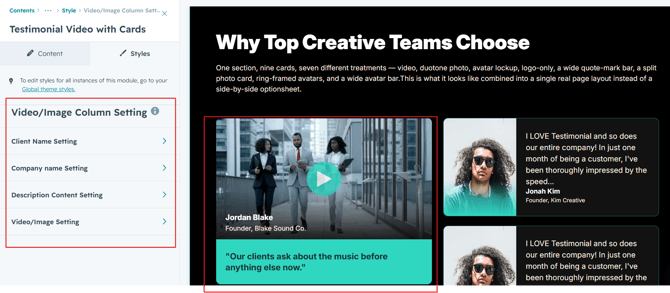
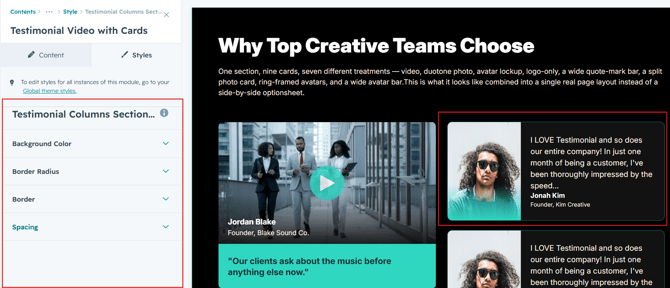
Card Column Setting :
Users can customize card spacing and adjust the background, border, border radius to create their desired design style.
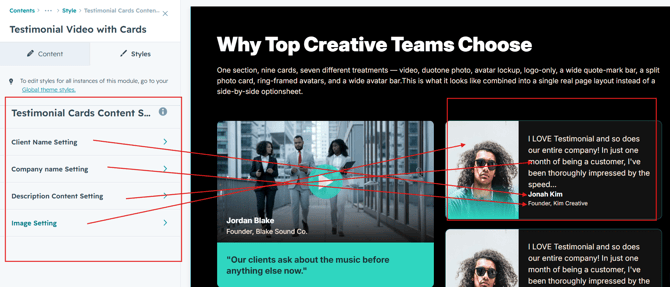
Right Column Content Setting :
Users can customize the quote content, image and client details typography by adjusting font size, line height, and spacing for both mobile and desktop views. They can also modify text transform.
We hope you enjoy using testimonial video with cards module to create a seamless experience for both your users and your marketing team. At Code Accelerator, we're committed to ensuring your HubSpot experience is exceptional. If you need a custom HubSpot module or require a tailored HubSpot CMS or CRM setup, please don’t hesitate to Contact Us.