
Showcase your key features, services, or business benefits with a fully customizable and responsive feature grid layout. Easily manage content, images, icons, and styling options to create an engaging section that highlights why customers should choose your business.
Key Features Sticky Feature Animation Module :
- Display multiple feature blocks with images, headings, descriptions, list items, and CTA buttons.
- Control module spacing, background color, gradient, or image from module settings.
- Animated mobile screen images with seamless right-to-left transitions.
- Fully responsive layout with dedicated mobile animations.
- Customize feature tag, heading, description, list items, and CTA content.
How to Set Up the Sticky Feature Animation Module in HubSpot :
In the main dashboard, navigate to the ‘Content’ tab and select either ‘Website’ or ‘Landing Pages’, depending on where you want to add the section. This allows you to choose the appropriate location for managing or updating your content.
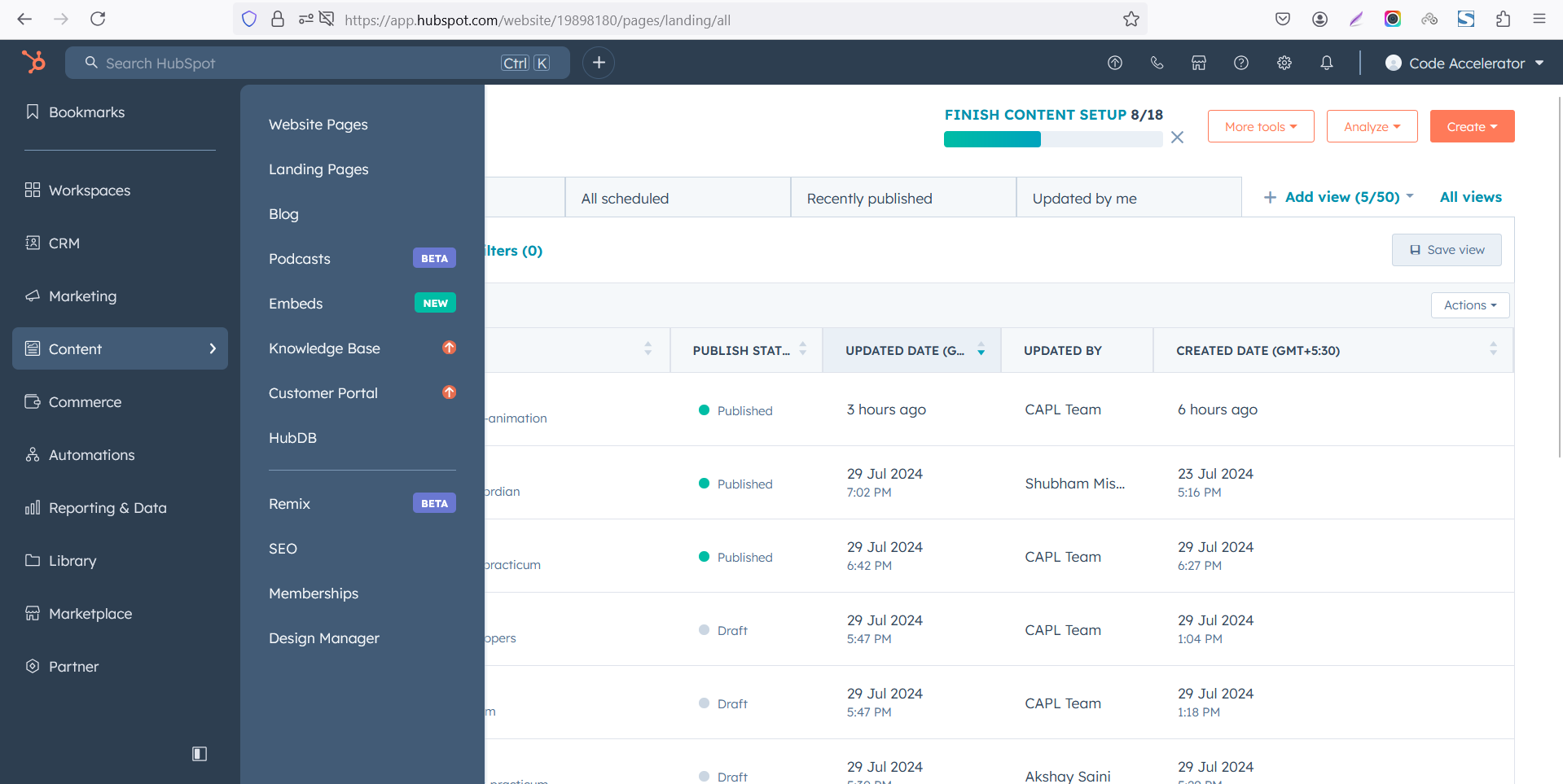
Select the page where you want to apply the module.
-Feb-13-2026-06-36-17-9723-PM.png)
Search for "Sticky Feature Animation" and drag and drop the module into the desired location on your page.
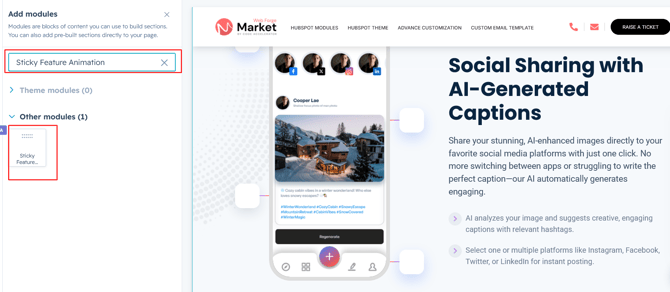
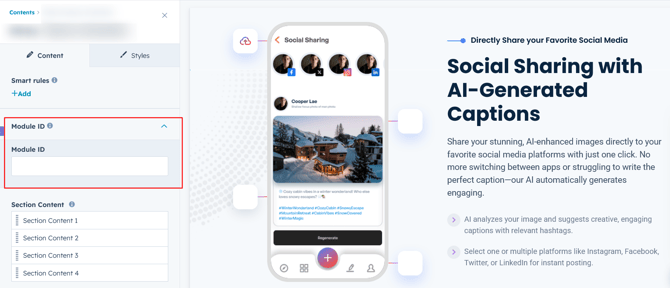
Module Defaults Options:
Module ID :
You can add the module ID and configure the target link as needed to enable smooth navigation to the desired section or page.
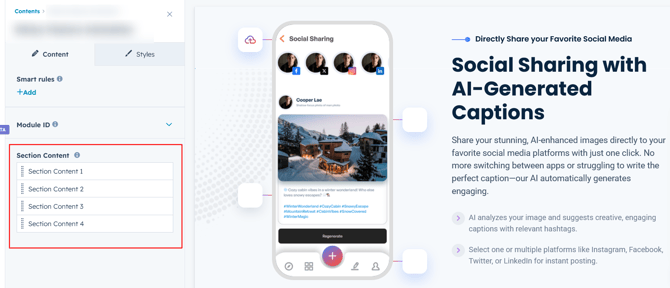
Section Content :
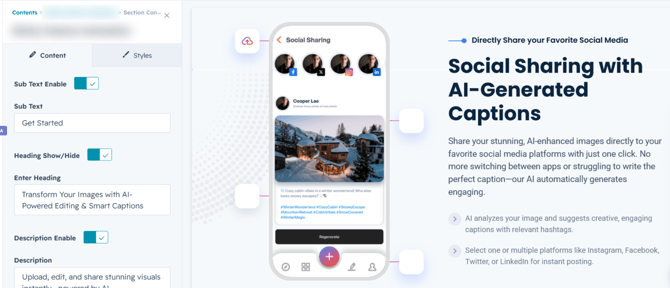
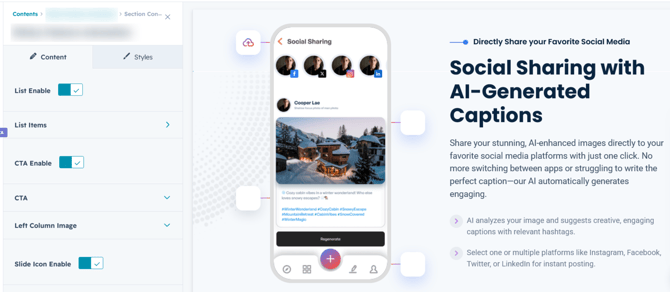
You can add animated section content, including the image, heading, subheading, description, list items, and CTA. This module supports up to 4 animated sections, each with its own customizable content and smooth scroll animations.
Options :
Heading/Description Show/Hide Toggle
Module Style Options:
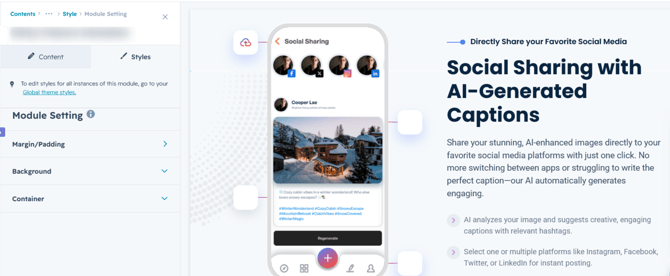
Module Setting :
Customize the module appearance with flexible background options, adjustable width settings, and responsive spacing controls for both desktop and mobile devices. Easily fine-tune the layout to match your design requirements.
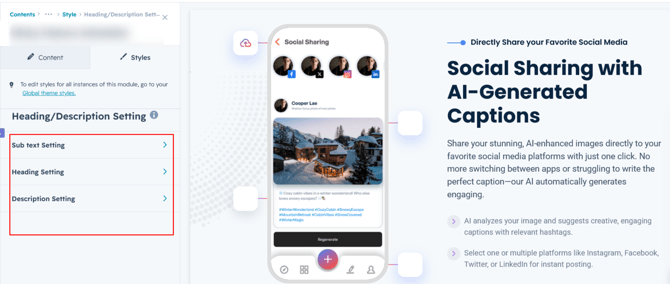
Heading/Description Setting :
Customize the heading and description typography with flexible controls for spacing, text transformation, and letter spacing to create a polished and consistent design.
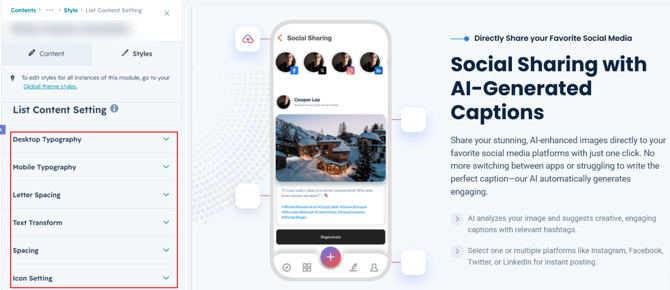
List Content Setting :
Customize the list content typography, adjust spacing and apply text transformations to match your design requirements.
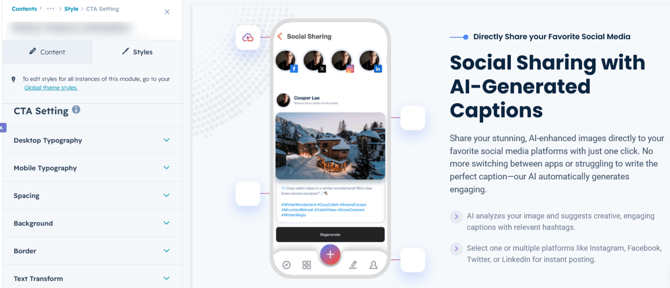
CTA Setting :
You can customize the CTA typography, including the font family, size, weight, line height, text transform, letter spacing, and spacing. You can also personalize the CTA's normal and hover states by adjusting the text color, background color, border, and hover effects to match your website's design.
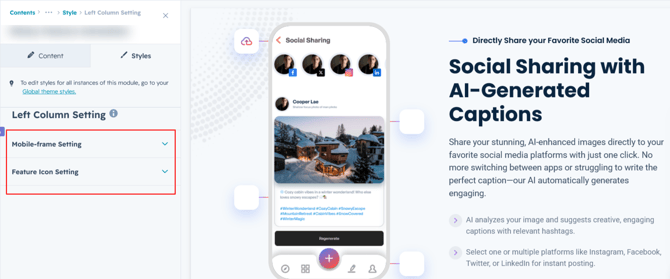
Left Column Setting :
You can customize the column image by adjusting its height, width, border, corner radius. You can also personalize the feature icon indicator by changing the icon size, icon background color, line color, and related styling options to match your design.
We hope you enjoy using Sticky Feature Animation module to create a seamless experience for both your users and your marketing team. At Code Accelerator, we're committed to ensuring your HubSpot experience is exceptional. If you need a custom HubSpot module or require a tailored HubSpot CMS or CRM setup, please don’t hesitate to Contact Us.