
Price Calculator Module helps users instantly estimate pricing through an interactive and user-friendly calculator interface. Display customizable pricing options, service costs, or product estimates with dynamic calculations and a modern design. Fully responsive and easy to customize, it's designed to improve user engagement, simplify decision-making, and boost conversion rates.
Key Features Price Calculator Module :
-
Real-Time Price Calculator : Instantly updates the total cost as users customize their service package, with zero page reloads.
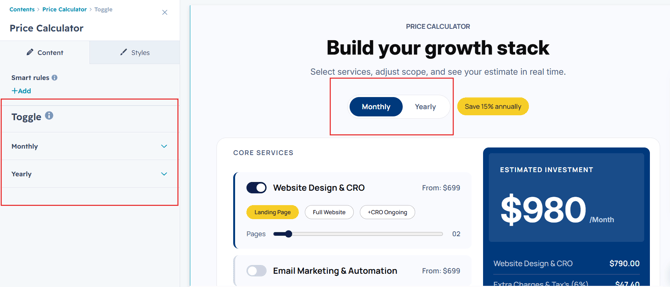
- Monthly & Yearly Billing Toggle : Lets visitors switch between monthly and annual pricing with one click.
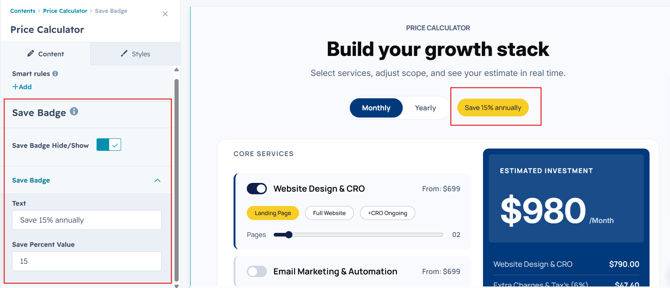
- Automatic Annual Discount Engine : Applies a configurable percentage discount (e.g., "Save 15% Annually") to yearly totals automatically.
- Page-Based Pricing Slider : A drag slider lets users scale pricing based on number of pages, users, or units needed.
-
Responsive Design: Adjusts seamlessly across devices, from desktops to mobile screens.
-
Customizable Styles: Fully customizable with CSS variables for themes, fonts, colors, and animations.
-
Performance Optimization: Lightweight animations optimized to ensure smooth interactions without lag.
How to Set Up the Price Calculator Module in HubSpot :
In the main dashboard, navigate to the ‘Content’ tab and select either ‘Website’ or ‘Landing Pages’, depending on where you want to add the section. This allows you to choose the appropriate location for managing or updating your content.
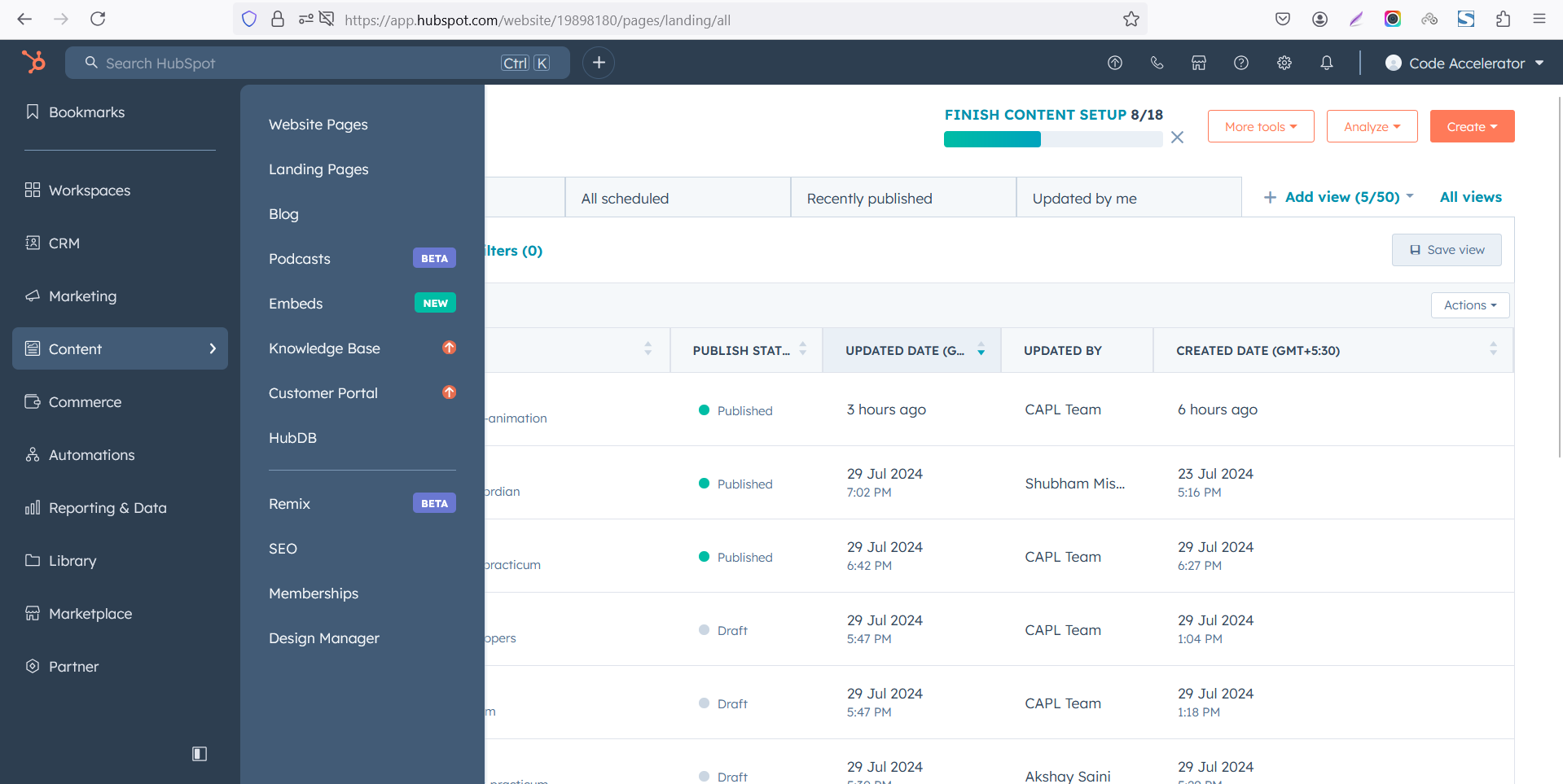
Select the page where you want to apply the module.
-Feb-13-2026-06-36-17-9723-PM.png)
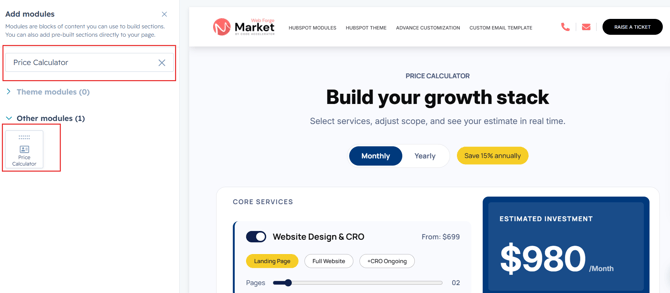
Search for "Price Calculator" and drag and drop the module into the desired location on your page.
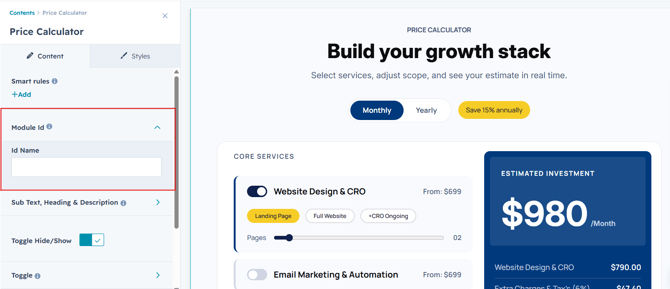
Module Defaults Options:
Layout ID :
To enable smooth scrolling for a CTA, assign an ID to the target element, reference that ID in the anchor link's href, and clicking the CTA will smoothly scroll the page to the section.
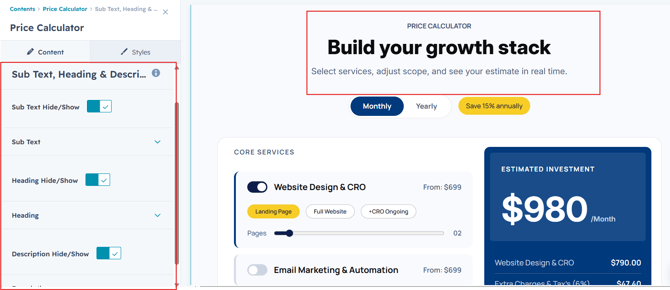
Sub Heading, Heading & Description :
Easily customize the content in your module by modifying the "Sub Heading", "Heading," "Description. You can also choose to hide the section if desired, giving you complete control over the presentation and functionality of your content.
Options :
- Heading/Description & Sub Heading Show/Hide Toggle
Toggle & Save Badge :
Easily customize the toggle labels and save badge text to match your pricing plans, promotions, or branding requirements.
Services :
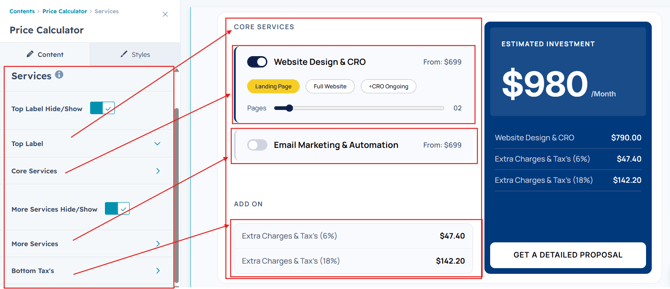
Customize the service sections displayed in the calculator. Easily manage labels, service groups, and additional services to match your pricing structure.
Top Label Hide/Show
Enable or disable the top section label based on your design preference.
Top Label
Edit the top section heading to organize your primary service categories.
Core Services
Add, edit, or remove core service items, pricing, options, and sliders to create a fully customized pricing calculator.
More Services Hide/Show
Show or hide the additional services section with a single toggle.
More Services
Manage optional or add-on services by customizing their titles, pricing, and selection options.
Bottom Tax's
Configure tax, fees, or other additional charges displayed at the bottom of the calculator with customizable labels and values.
Right Column :
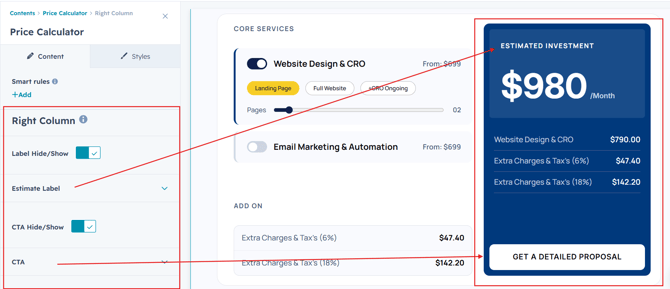
Customize the estimate panel by editing the label, CTA, and display options. The total price and service breakdown update automatically based on the services users select.
Label Hide/Show
Show or hide the estimate section label with a simple toggle.
Estimate Label
Customize the heading displayed at the top of the estimate panel, such as "Estimated Investment" or any text that matches your brand.
CTA Hide/Show
Enable or disable the call-to-action button in the estimate panel.
CTA
Customize the CTA button text and link to guide users toward the next step, such as requesting a quote or contacting your team.
Note:
The estimated total and selected service details are calculated and updated automatically based on the services, options, and add-ons chosen by the user.
Module Style Options:
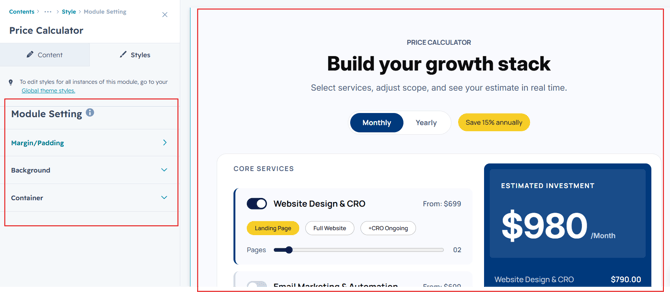
Module Setting :
Adjust the margins, padding, background colors, and container width to customize the module's appearance. This flexibility lets you refine the layout and aesthetics, creating a visually appealing, functional, and user-friendly design.
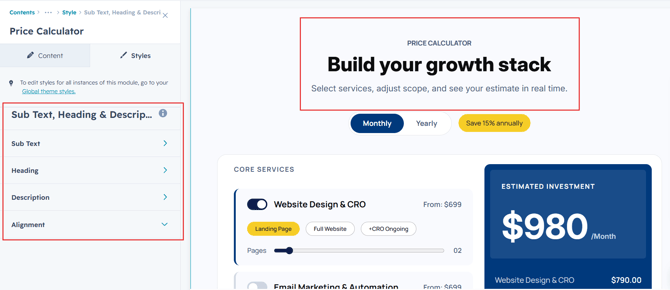
Sub Heading, Heading & Description Setting :
Users can customize the spacing of the heading, as well as adjust the typography for the sub heading, heading and description. This includes modifying the color, font size, weight, and line height for both mobile and desktop views, allowing for a personalized and visually cohesive design across all devices.
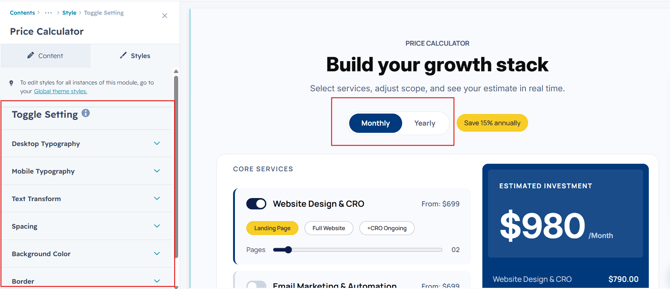
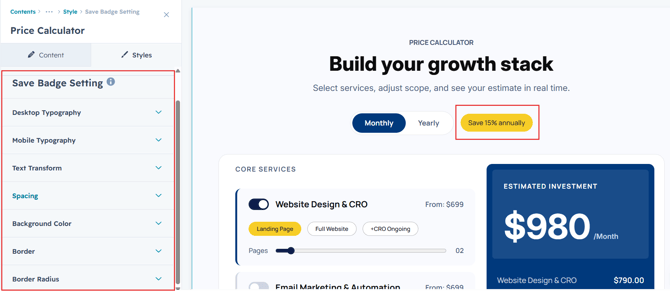
Toggle & Save Badge
Personalize the toggle switch and save badge with flexible styling options. Adjust colors, fonts, backgrounds, borders, and spacing to seamlessly match your website's design.
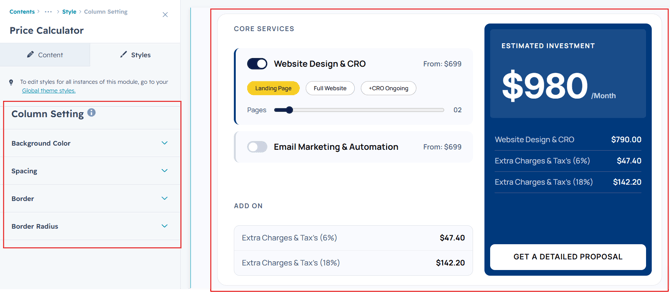
Column Section Setting :
Users can customize column spacing and adjust the background, border, border radius to create their desired design style.
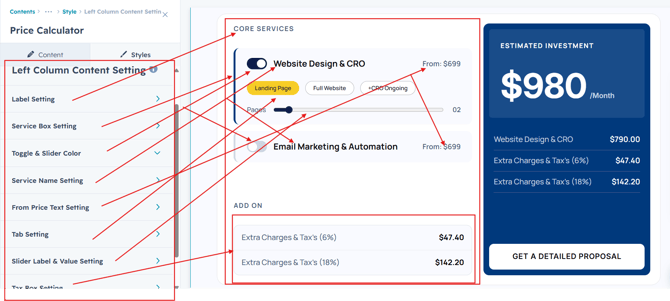
Users can customize the spacing, colors, borders, backgrounds, and border radius of the left content section to match their branding. They can also adjust the typography for labels, service box, toggle, service name, tabbing, tax's and other text elements, including color, font size, font weight, and line height for both desktop and mobile views, ensuring a consistent and visually appealing design across all devices.
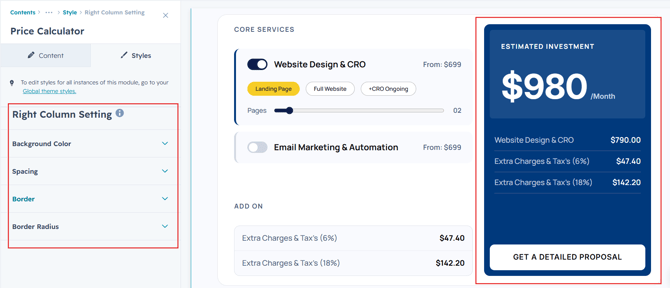
Right Column Setting :
Users can customize column spacing and adjust the background, border, border radius to create their desired design style.
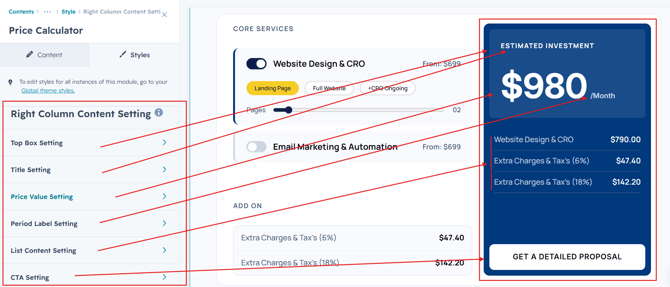
Right Column Content Styling
Users can fully customize the typography for the estimate label, total price, service list, CTA button, and other text elements, including color, font size, font weight, and line height for both desktop and mobile views, ensuring a polished and consistent design across all devices.
We hope you enjoy using price calculator module to create a seamless experience for both your users and your marketing team. At Code Accelerator, we're committed to ensuring your HubSpot experience is exceptional. If you need a custom HubSpot module or require a tailored HubSpot CMS or CRM setup, please don’t hesitate to Contact Us.