
Highlight your key business metrics with the Number Counter Card Module for HubSpot. Display animated counters for sales, growth, achievements, and performance stats with scroll-based animations that capture attention instantly. Fully customizable with flexible layouts, colors, labels, and styling options — no coding required. Perfect for landing pages, dashboards, reports, and modern business websites.
Key Features :
✅ Fully Responsive Across All Devices:
The counter adapts seamlessly to mobile, tablet, and desktop screens, ensuring a consistent user experience no matter how visitors view your site.
✅ Multiple Counter Cards Support:
Display multiple statistics in a clean and organized card-based layout.
✅ Customizable Number & Labels:
Easily add number and descriptive labels to each stat block to enhance clarity and visual appeal.
✅ Flexible Layout Options:
Choose between horizontal or vertical layouts and adjust spacing to best fit your design.
✅ Prefix & Suffix Support:
Add currency symbols, percentage signs, or custom text before or after numbers to match your content needs.
✅ Style Control in HubSpot Editor:
Customize fonts, colors, backgrounds, and borders directly within the HubSpot design editor — no coding needed.
✅ Flexible Content Options:
Add numbers, prefixes, suffixes, titles, and short descriptions for each counter.
✅ Lightweight & Fast Loading:
Built with performance in mind, ensuring smooth animations without slowing down your page.
Setting Up the Number Counter Card Module in HubSpot :
-
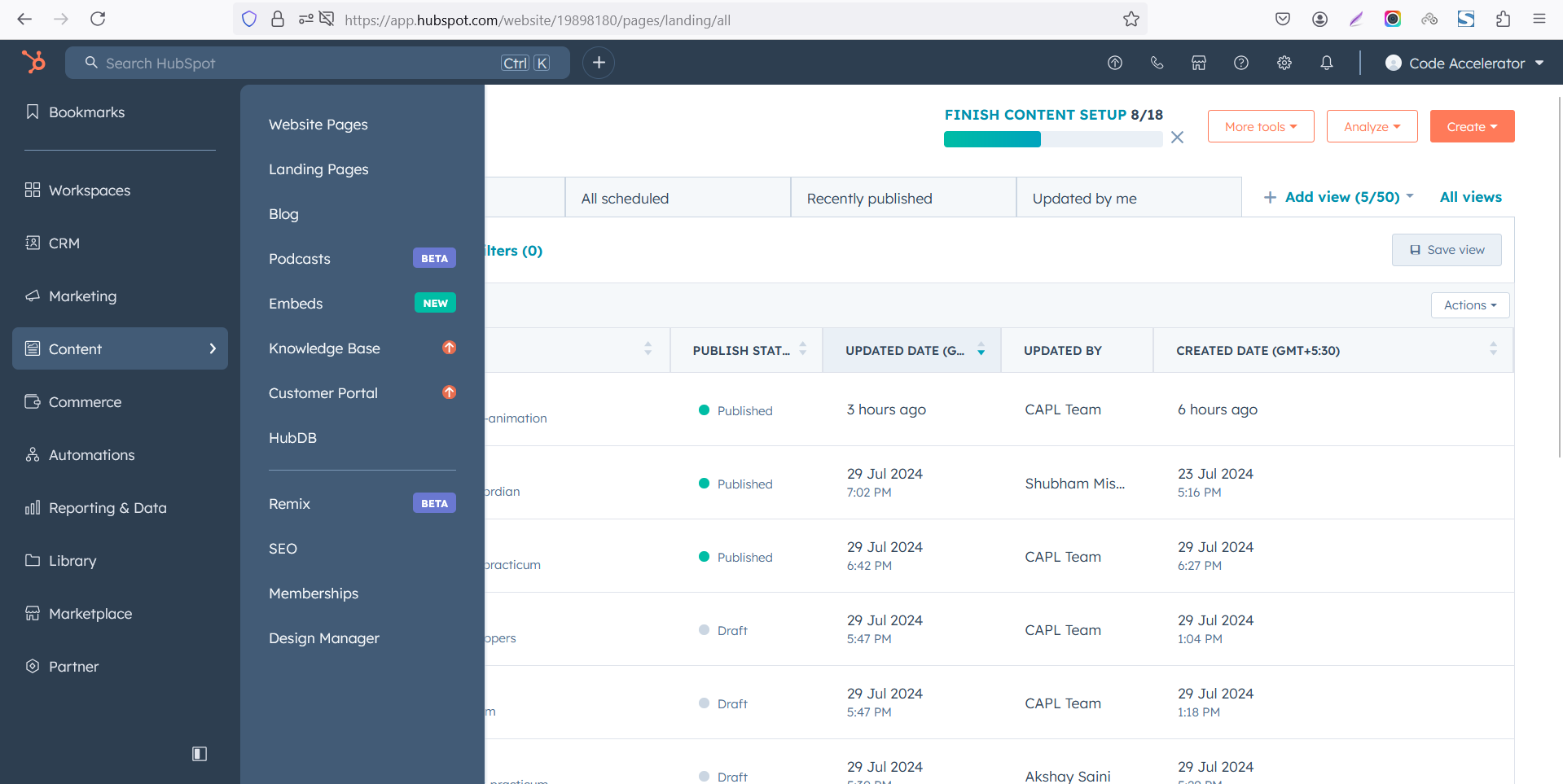
In the main dashboard, navigate to the Content tab and select either Website Pages or Landing Pages, depending on where you want to add the service section.
-
Choose the page where you want to apply the module.
-Feb-13-2026-06-36-17-9723-PM.png)
-
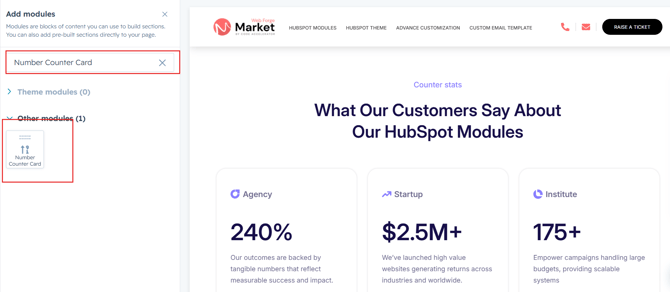
Search for "Number Counter Card" and drag and drop the module into the desired location on your page
Module Defaults Options:
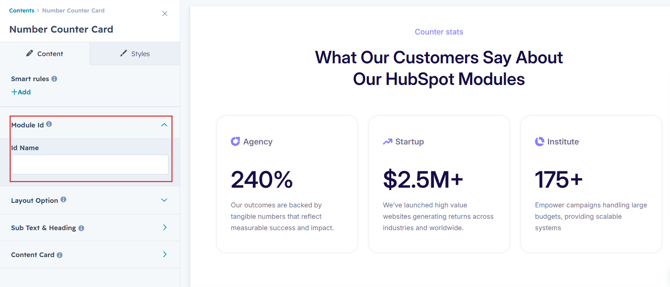
Layout ID :
You can add an ID to the target section and use the same ID in an anchor link to enable a smooth scrolling effect when a user clicks on a Call-to-Action (CTA) button, enhancing navigation and user experience.
Layout Options :
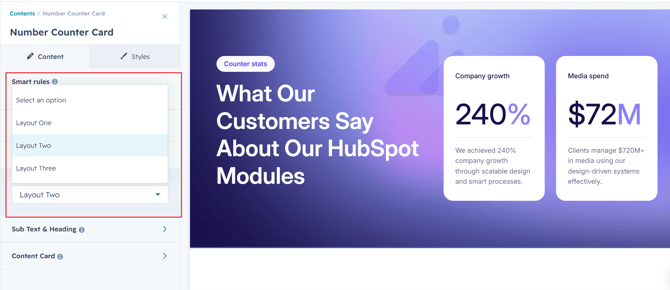
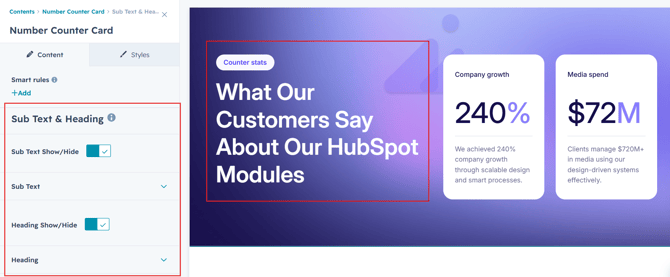
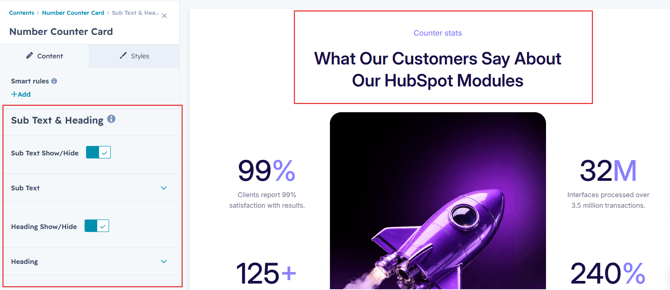
For number counter card module, select your preferred layout (e.g., Layout 1, Layout 2, or Layout 3). You can effortlessly rearrange the cards within the chosen layout to create the ideal content flow.
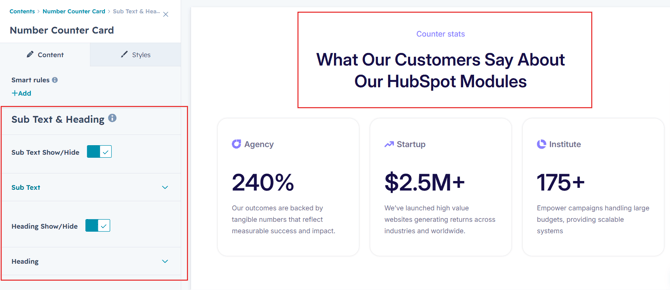
Sub Heading & Heading:
You have the flexibility to customize the subheading and heading to match your design preferences. Additionally, you can choose to show or hide specific elements as needed for a tailored and dynamic layout.
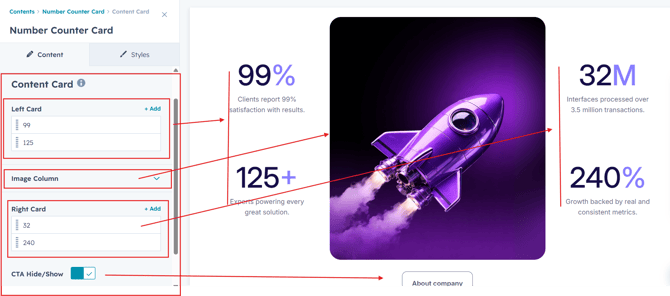
Counter Columns :
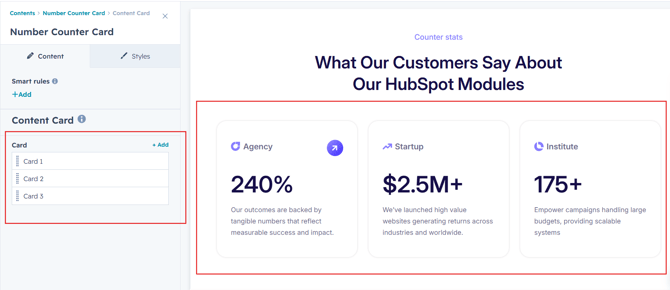
You can easily customize the counter cards in HubSpot by adjusting the following settings.
Options :
- Column Options: Choose and arrange card layouts with options for one, two, three, or four columns.
- Counter Repeater: Easily add multiple animated counters using the repeater function. Customize each with unique numbers, title and content to highlight multiple stats in one seamless, responsive, and visually engaging section.
Module Style Options:
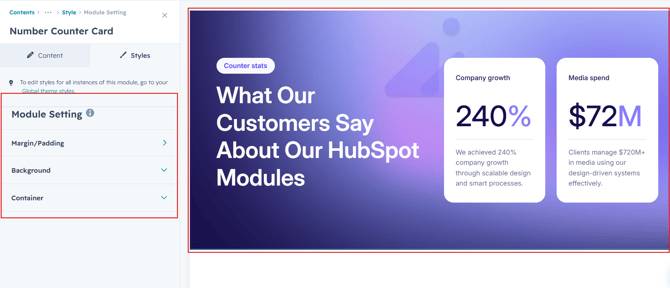
Module Setting :
Adjust margins, padding, background colors, and container width to achieve your preferred design and layout.
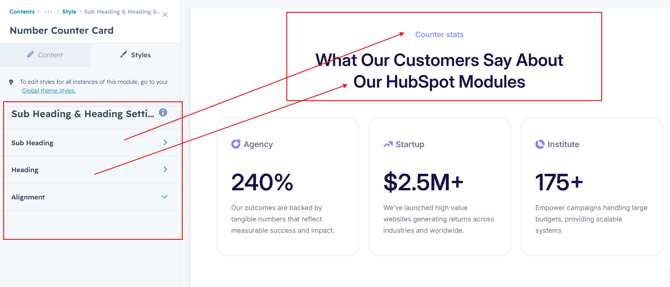
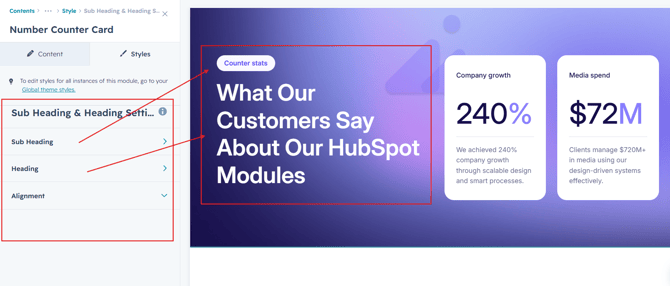
Sub Heading & Heading Setting :
Users can easily customize alignment, spacing for precise layout control. Typography options like font size, weight, and line height are fully adjustable. All settings are optimized for both desktop and mobile views for a seamless experience.
Counter Column Setting :
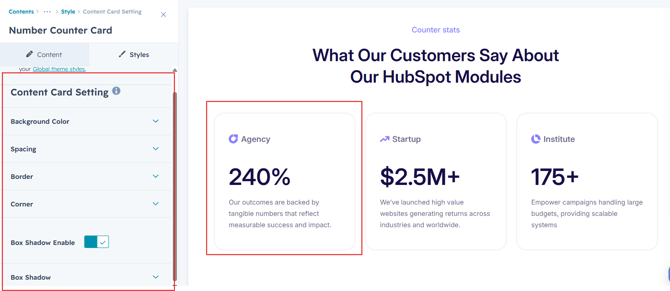
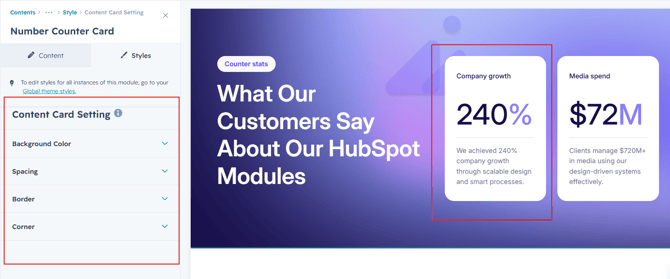
Users can customize the background color, spacing, border and corner as well as apply box shadows and borders to align with their branding. Additionally, they can set a background hover color for interactive effects.
Counter Content Setting :
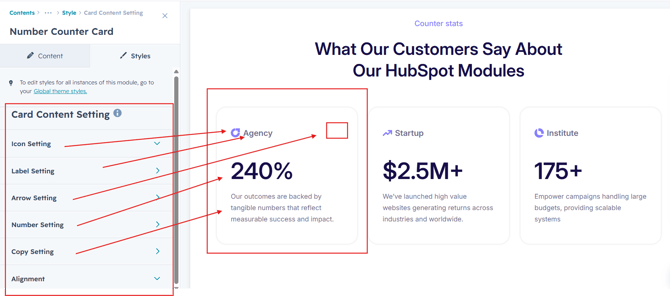
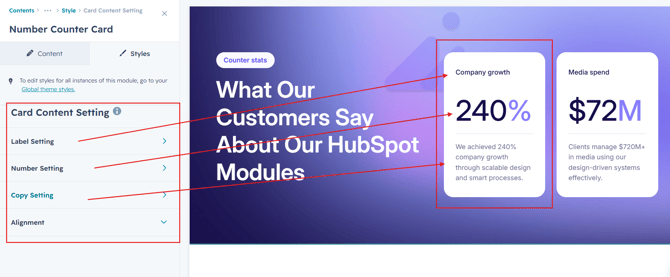
Users can customize the typography of the title and counter value and paragraph to align with their content, adjusting font size, weight, and line height for both mobile and desktop views. They can also modify spacing.
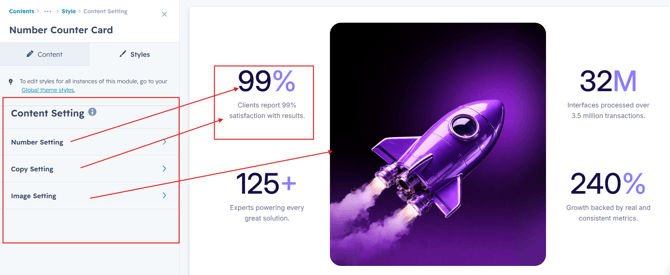
CTA Setting :
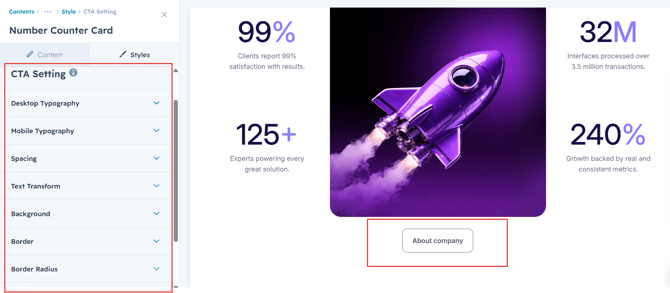
Users can fully customize the CTA typography by adjusting font size, weight, and line height for both desktop and mobile views. They can also modify spacing, background colors, borders, corner radius, box shadow effects, and content alignment to perfectly match their website design and branding.
We hope you find our number counter card module valuable in enhancing both user experience and marketing effectiveness. At Code Accelerator, we're dedicated to making your HubSpot experience outstanding. For custom HubSpot modules or personalized HubSpot CMS and CRM setups, please feel free to reach out to Contact Us.