
Marketing Hero Banner is a powerful and visually engaging section designed to highlight your brand’s key message, campaigns, or product offerings at the top of your website. It helps capture visitor attention instantly with bold headlines, compelling visuals, and strong call-to-action elements.
Fully responsive and easy to customize, this banner allows businesses to showcase promotional content, introduce products, or drive conversions through a clean and modern hero layout.
Key Features Marketing Hero Banner Module :
✅ Fully Responsive: Works seamlessly on all devices (desktop, tablet, mobile).
✅ Custom CTA Buttons: Add primary & secondary call-to-action buttons with flexible links.
✅ Customizable Design: Adjust colors, sizes, and spacing to match your website's style.
✅ Lightweight & Fast: Optimized for speed and performance.
✅ Multiple Video Sources Support: Use YouTube, Vimeo, or self-hosted video files.
How to Set Up the Marketing Hero Banner Module in HubSpot :
In the main dashboard, go to the ‘Content’ tab and select either ‘Website’ or ‘Landing Pages,’ depending on where you want to add the section. This lets you choose the right location for managing or updating your content.
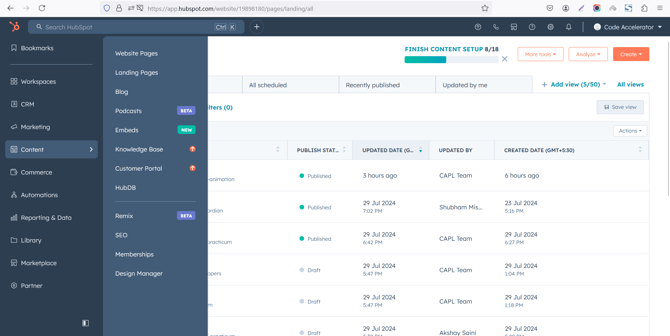
Select the page where you want to apply the module.
-Feb-13-2026-06-36-17-9723-PM.png?width=670&height=339&name=Screenshot%20(20)-Feb-13-2026-06-36-17-9723-PM.png)
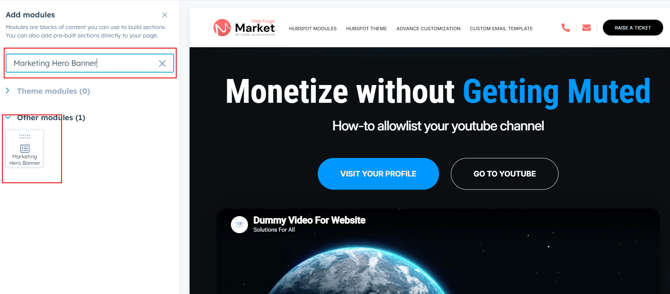
Search for "Marketing Hero Banner" and drag and drop the module into the desired location on your page.
Module Defaults Options:
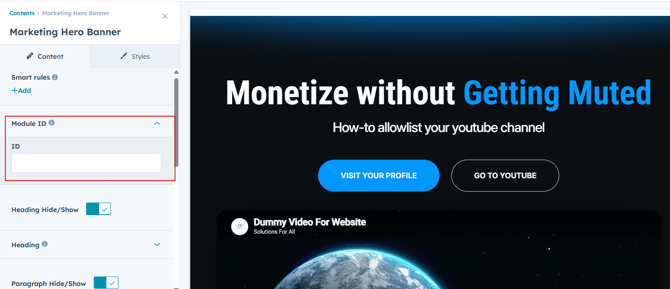
Layout ID :
To enable smooth scrolling for a CTA, assign an ID to the target element, reference that ID in the anchor link's href, and clicking the CTA will smoothly scroll the page to the section.
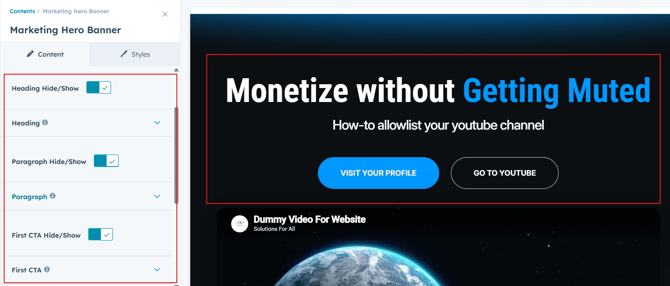
Heading/Description & CTA :
Easily customize the content in your module by modifying the "Heading," "Description & CTA. You can also choose to hide the section if desired, giving you complete control over the presentation and functionality of your content.
Options :
- Heading & Description Show/Hide Toggle
- CTA Show/Hide Toggle
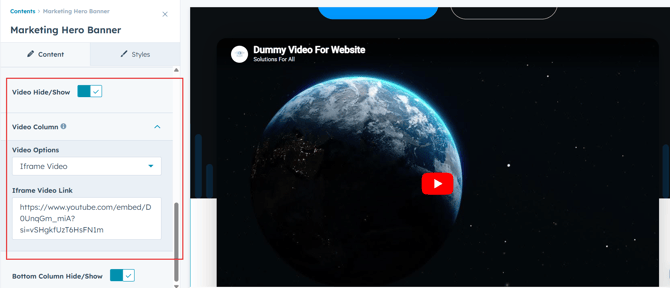
Video Section :
Users can customize the video as per their choice. And also show/hide the video if not required.
Module Style Options:
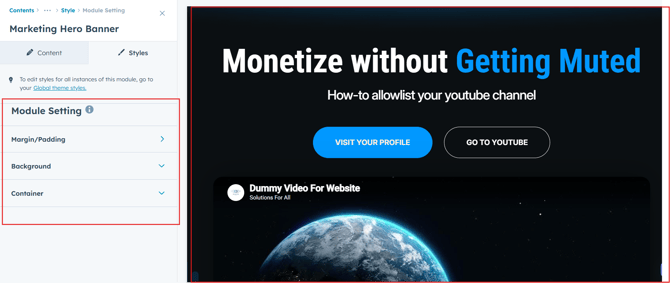
Module Setting :
Adjust the margins, padding, background colors, and container width to customize the module's appearance. This flexibility lets you refine the layout and aesthetics, creating a visually appealing, functional, and user-friendly design.
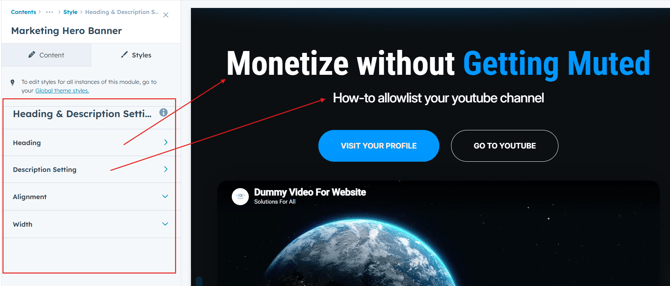
Heading & Description Setting :
Users can customize the spacing of the heading and adjust its typography, including color, font size, weight, and line height. These settings apply to both mobile and desktop views, ensuring a personalized and visually cohesive design across all devices.
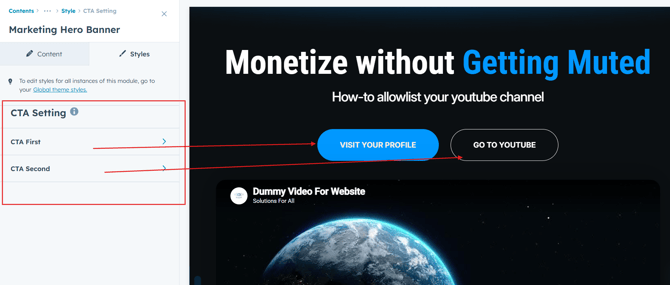
CTA Setting :
Users can customize the CTA background color, line height, and spacing for both desktop and mobile views. They can also adjust text transform, alignment, width, and box shadow, as well as add hover colors for a more dynamic design.
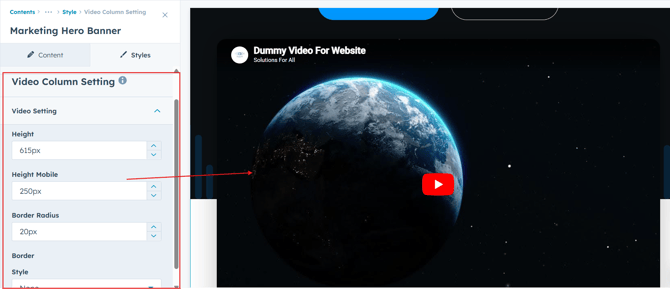
Video Setting :
Users can customize the video appearance by adjusting the height, border thickness, and border style to match their design preferences. Additionally, they can control the corner radius to create sharp or rounded edges, ensuring the video fits seamlessly into the overall layout across devices.
We hope you enjoy using marketing hero banner module to create a seamless experience for both your users and your marketing team. At Code Accelerator, we're committed to ensuring your HubSpot experience is exceptional. If you need a custom HubSpot module or require a tailored HubSpot CMS or CRM setup, please don’t hesitate to Contact Us.