
Bring your story to life with the Interactive Journey Timeline module. Designed to showcase chronological events in a visually engaging and organized format, this module helps businesses highlight company history, milestones, achievements, product launches, project roadmaps, and growth journeys with ease.
Create compelling timelines that guide visitors through important moments while maintaining a clean, professional, and interactive user experience. Whether you're presenting your brand's evolution, a project timeline, or key business achievements, this module makes storytelling simple and impactful.Key Features :
-
Event Management: Users can add, edit, and delete events along a chronological timeline. Each event typically includes details such as a title, description, date, and optionally.
-
Responsive Design: The timeline module should be responsive, meaning it adapts smoothly to different screen sizes and devices. This ensures a consistent user experience across desktops, tablets, and mobile devices.
-
Customizable Styling: Users can customize the appearance of the timeline to match their branding or design preferences. This includes options for colors, fonts, sizes, and overall layout.
-
Smooth Animations: Implement smooth animations to enhance the user experience during drag-and-drop actions.
- SEO-Friendly Structure : Built with clean, semantic markup to support search engine visibility and accessibility.
How to Set Up the Interactive Journey Timeline Module in HubSpot :
-
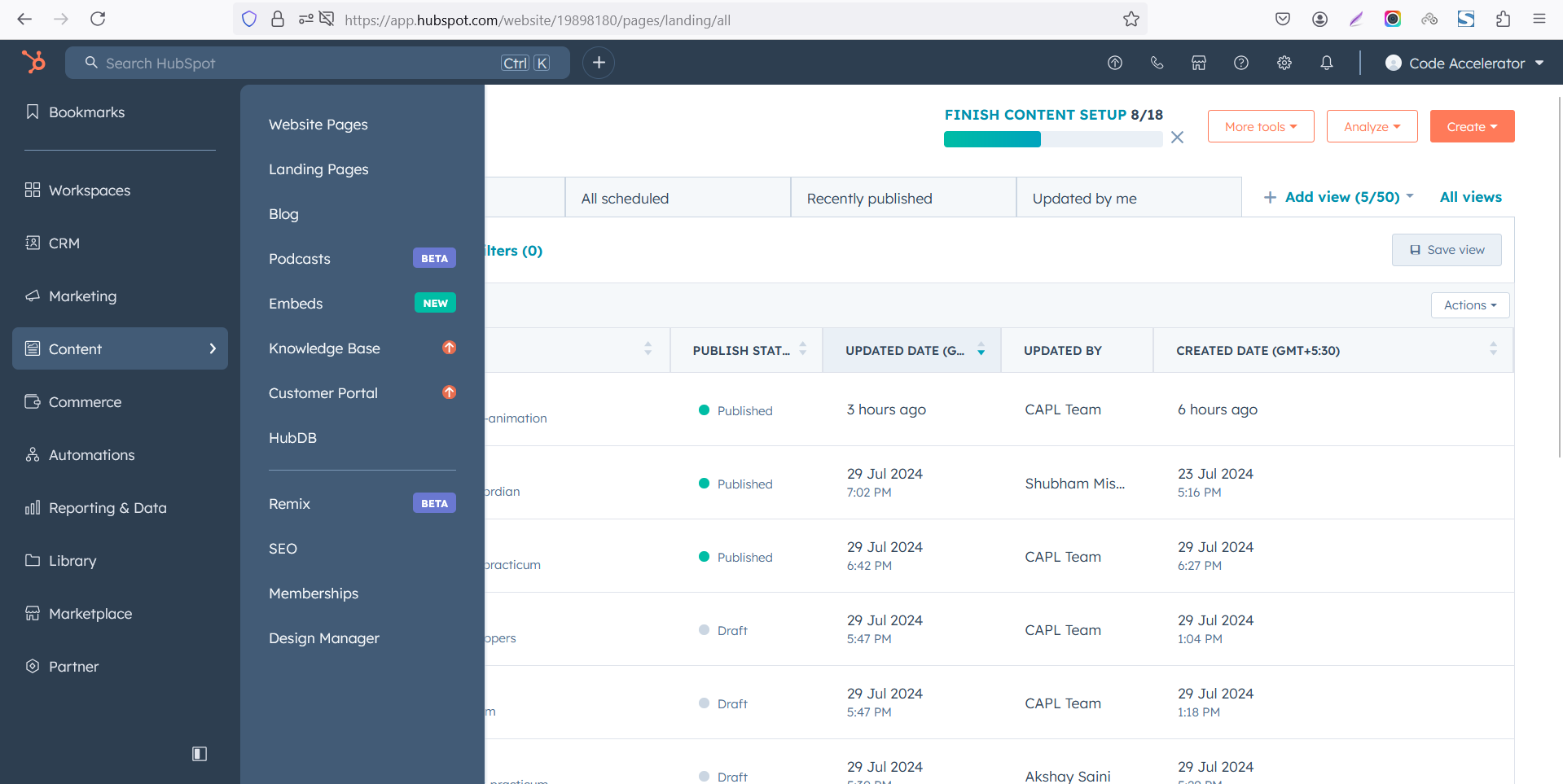
In the main dashboard, go to the ‘Content’ tab and select ‘Website’ or ‘Landing Pages’ based on where you want the timeline section.
-
Choose the appropriate page on which you would like to use it.
-Feb-13-2026-06-36-17-9723-PM.png)
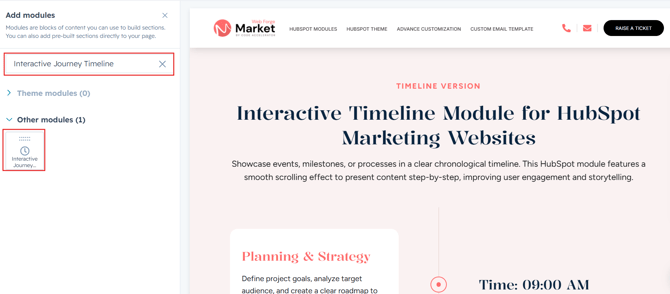
- Search for the "Interactive Journey Timeline" and Drag and drop the module into the desired location on your page.
Module Defaults Options:
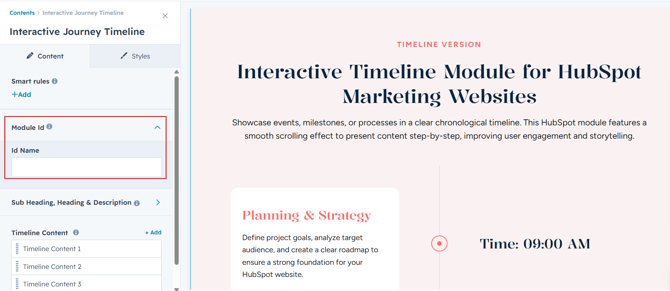
Layout ID :
You can add an ID to the target section and use the same ID in an anchor link to enable a smooth scrolling effect when a user clicks on a Call-to-Action (CTA) button, enhancing navigation and user experience.
Sub Heading, Heading & Description :
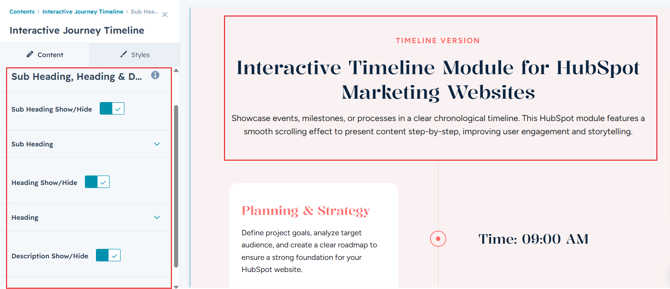
You can customize the content displayed in your Timeline Heading Sections. Easily modify and refresh the "Sub Heading", "Heading" and "Description" as desired, and even choose to hide the section if you wish.
Options :
- Sub Heading, Heading & Description Hide/Show Toggle
Timeline Content :
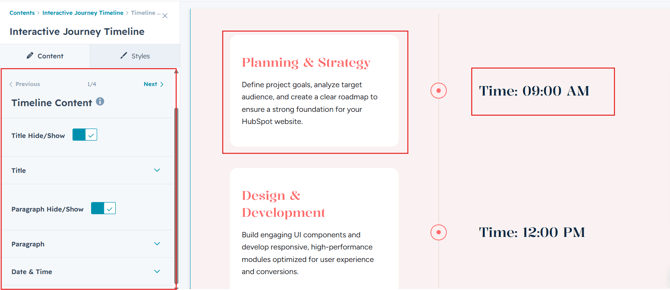
Easily create and manage timeline entries with complete control over the content displayed in each milestone. Users can customize the title, description and date/time to build engaging and informative timelines that align with their brand and storytelling goals.
Module Style Options:
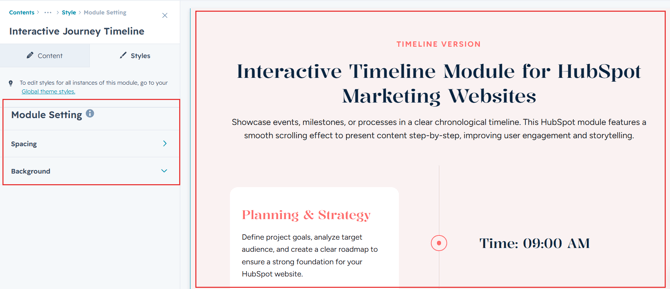
Module Setting :
Adjust margins, padding, background colors to achieve your preferred design and layout.
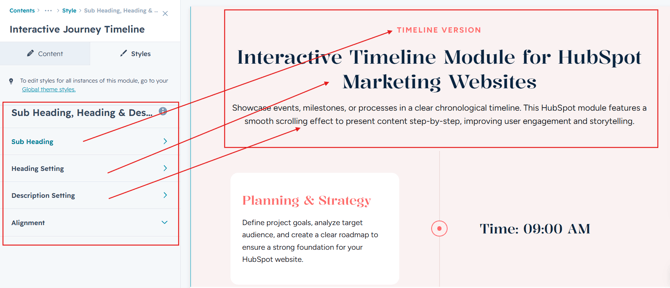
Sub Heading, Heading & Description Setting:
Users can easily customize alignment, spacing for precise layout control. Typography options like font size, weight, and line height are fully adjustable. All settings are optimized for both desktop and mobile views for a seamless experience.
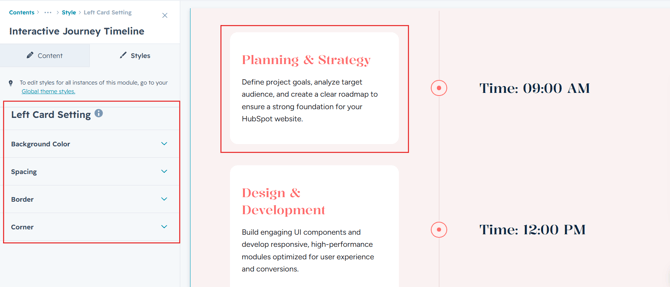
Left Card Setting :
Users can customize the background color, border, corner radius, and spacing to match their brand identity. They can also define interactive effect colors to enhance hover states and user engagement.
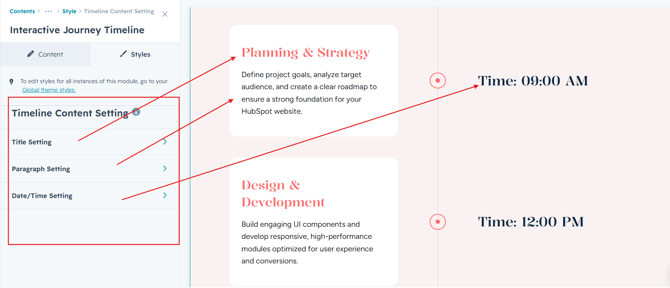
Timeline Content Setting :
Users can customize the typography of the title. paragraph and date/time to align with their content, adjusting font size, weight, and line height for both mobile and desktop views. They can also modify spacing.
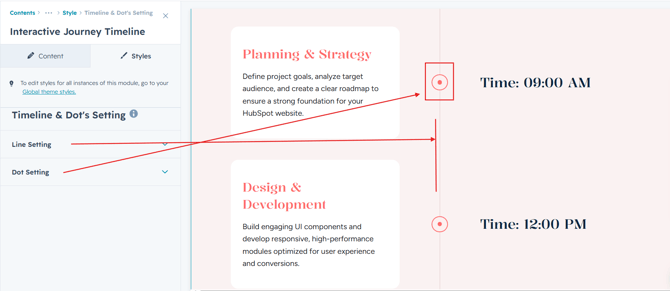
Timeline & Dot's Setting :
Users can customize the progress line and dot's color, size, style to create a timeline that matches their brand and design preferences.
We hope you will love working with our interactive journey timeline module and creating a seamless experience for both your users and marketers on your team. Here at Code Accelerator, we strive to ensure that your experience with HubSpot is a great one! If you need a custom HubSpot module or require a customized HubSpot CMS or CRM setup, Please Contact Us.