
Image Slider Module helps you showcase images, portfolios, products, galleries, or promotional banners in a smooth and interactive sliding layout. Present stunning visuals with seamless slide transitions, customizable navigation controls, and responsive display settings to capture visitor attention and enhance the browsing experience.
Fully responsive and highly customizable, this module is designed to improve visual storytelling, boost user engagement, and integrate seamlessly with your HubSpot website while delivering a modern, professional look across all devices.
Key Features of a Image Slider Module :
✅ Smooth Image Slider Animation – Display images with fluid slide transitions that create a modern and engaging browsing experience. Enhance visual storytelling with seamless animations.
✅ Multiple Slider Layouts – Choose from various slider layouts to match your website's design and content needs. Create unique galleries with flexible display options.
✅ Slide Arrows Option – Optional navigation arrows enhance usability.
✅ Modern & Clean Design – Sleek, contemporary styling fits perfectly into any modern website.
✅ Easy to Edit – Quickly customize content, styles, and settings without hassle.
✅ Easy to Integrate – Simple setup and integration into any page or theme.
✅ Optimized for Performance – Lightweight and fast for smooth transitions and loading.
✅ Customizable Image Content - Easily upload images and customize captions, links, and display settings directly within the HubSpot editor. No coding required.
How to Set Up the Image Slider in HubSpot :
In the main dashboard, go to the ‘Content’ tab and select either ‘Website’ or ‘Landing Pages,’ depending on where you want to add the section. This lets you choose the right location for managing or updating your content.
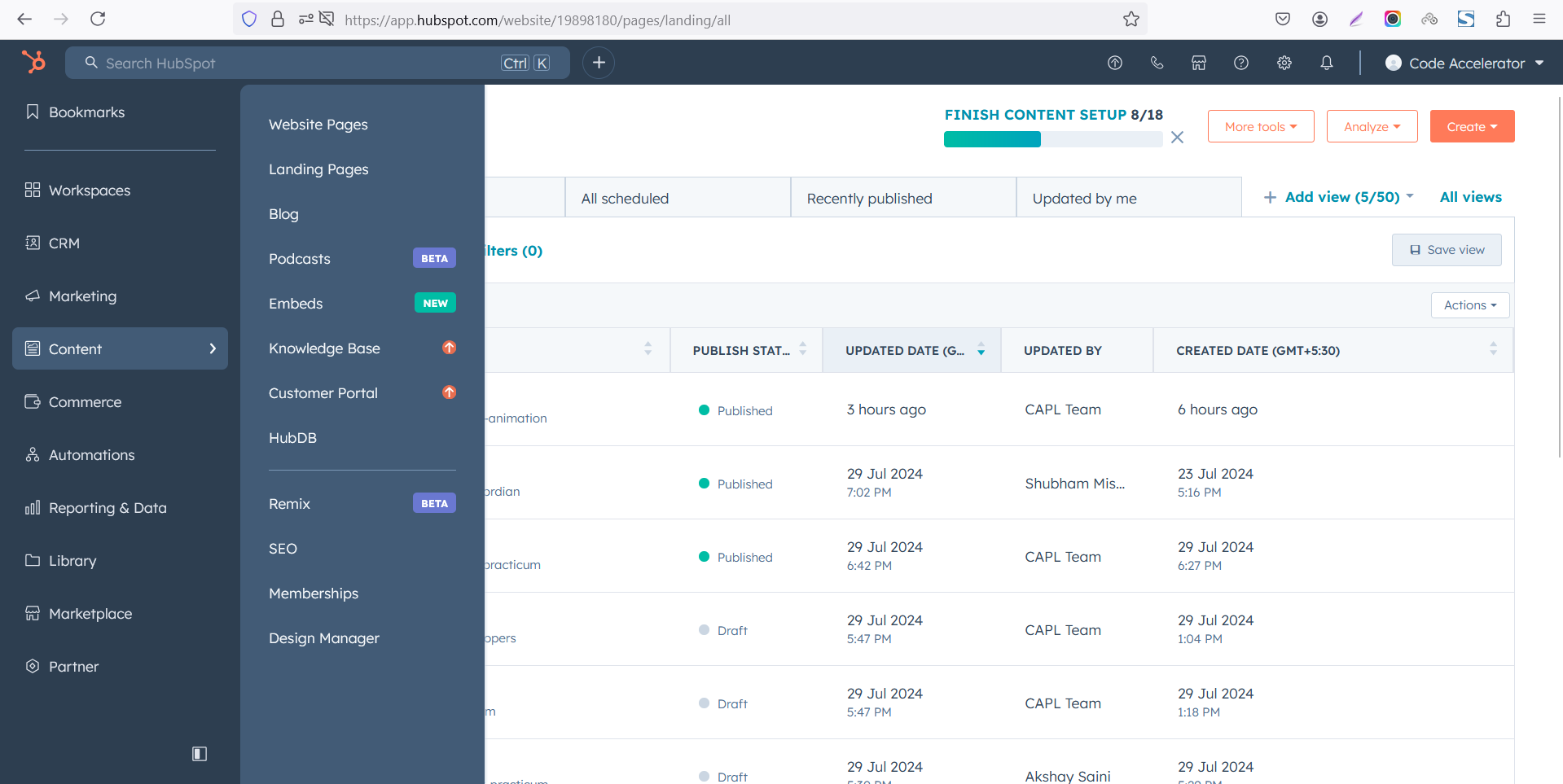 Select the page where you want to apply the module.
-Feb-13-2026-06-36-57-8607-PM.png)
Search for "Image Slider" and drag and drop the module into the desired location on your page.
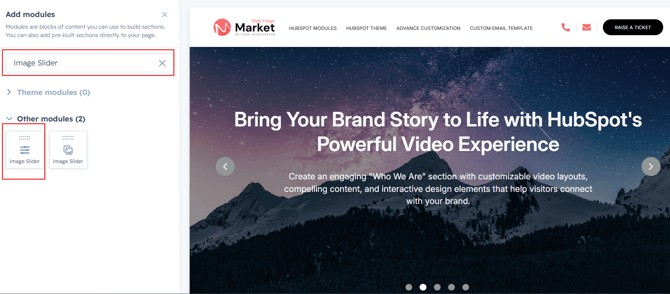
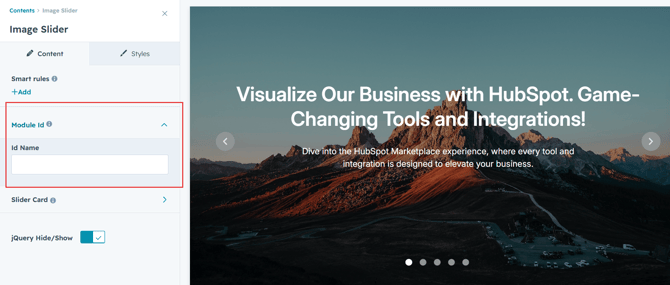
Module Defaults Options:
Layout ID :
Easily enhance navigation by adding an ID to the target section and using the same ID in an anchor link. This enables a smooth scrolling effect when users click a Call-to-Action (CTA) button, improving the overall user experience.
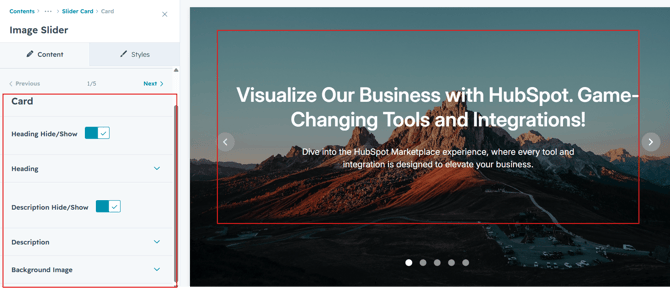
Slider Content :
-
Title
Enter a compelling title to capture attention and clearly communicate the success story. - Description
Provide a brief overview of the project, challenge, solution, or results. Use this section to share key details and achievements. - Background Image
Choose between a custom background image to match your brand. Easily update the background style from the HubSpot editor without any coding.
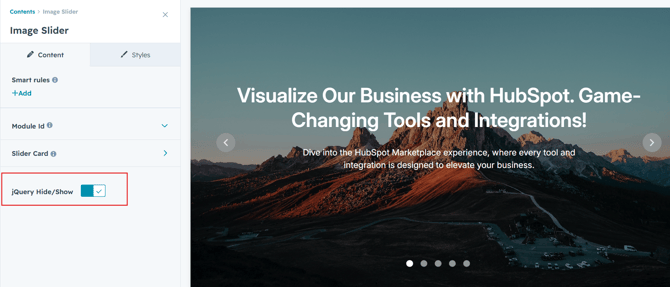
jQuery Add/Remove :
Users can add or remove jQuery JavaScript as needed, providing flexibility to enhance functionality or optimize performance based on their requirements.
Module Style Options:
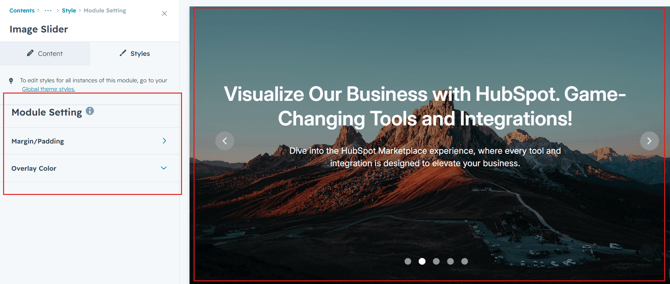
Module Setting :
Adjust the margins, padding and overlay to achieve your desired look and feel for the module. This flexibility lets you fine-tune the layout and aesthetics, ensuring your design is both visually appealing and user-friendly.
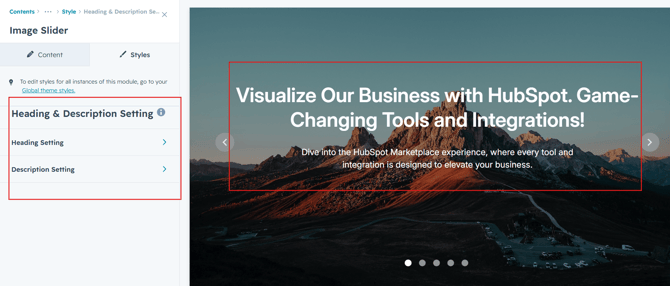
Heading & Description Setting :
In this module, you have full flexibility to customize the heading and description to perfectly align with your design vision. You can easily adjust the spacing around the text, apply text transformations such as uppercase or lowercase, and set the alignment (left, center, or right) to create the ideal layout. These options ensure your content remains visually balanced and responsive across all devices.
- Text Styling Options
Set font size, color, spacing, and apply text transforms like uppercase or capitalize. - Spacing Adjustments
Add padding or margins around your content to create visual balance.
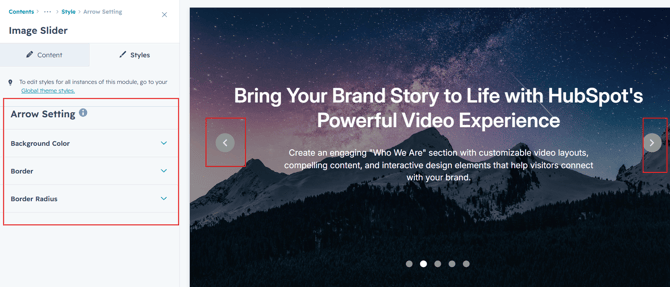
Slider Arrow Settings :
Customize the slider arrows with your preferred background color, border style and border radius. Easily match the arrow design to your website's branding and overall look.
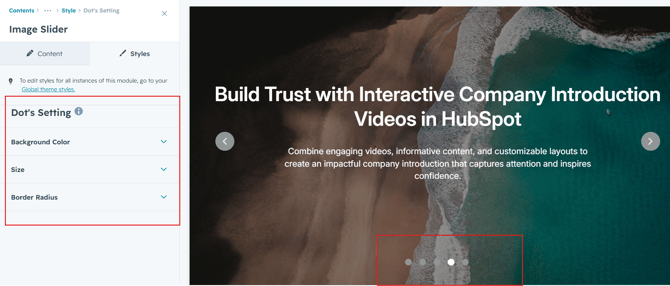
Slider Dot's Settings :
Customize the slider dot's with your preferred background color, size and border radius. Easily match the dot design to your website's branding and overall look.
We hope you enjoy using our image slider module to create a seamless experience for both your users and your marketing team. At Code Accelerator, we're committed to ensuring your HubSpot experience is exceptional. If you need a custom HubSpot module or require a tailored HubSpot CMS or CRM setup, please don’t hesitate to Contact Us.