
Events Listing Grid Module helps you showcase upcoming events in a clean and organized grid layout. Highlight event details such as titles, dates, locations, and key information to keep visitors informed and engaged. Fully responsive and customizable, it’s designed to improve event visibility, enhance user experience, and increase registrations.
Key Features of the Events Listing Grid Module:
- Effortless Event Management – Easily add, edit, or remove events with a user-friendly interface.
- Customizable Design – Adjust colors, fonts, backgrounds, and more to align with your brand’s aesthetic.
- Responsive Layout – Fully adaptable across all devices, providing a seamless experience on mobile, tablet, and desktop.
- Topic & Type Checkbox Filter Support – Allow users to quickly filter events by selecting topics or event types using simple checkbox options. This feature makes it easy to find relevant events such as webinars, workshops, or conferences based on user interests.
- CTA Customization – Personalize the CTA text, links, and design to drive user engagement.
- Flexible Typography & Spacing – Customize typography and set spacing for both mobile and desktop views.
How to Set Up the Events Listing Grid Module in HubSpot :
In the main dashboard, navigate to the ‘Content’ tab and select either ‘Website’ or ‘Landing Pages’, depending on where you want to add the section. This allows you to choose the appropriate location for managing or updating your content.
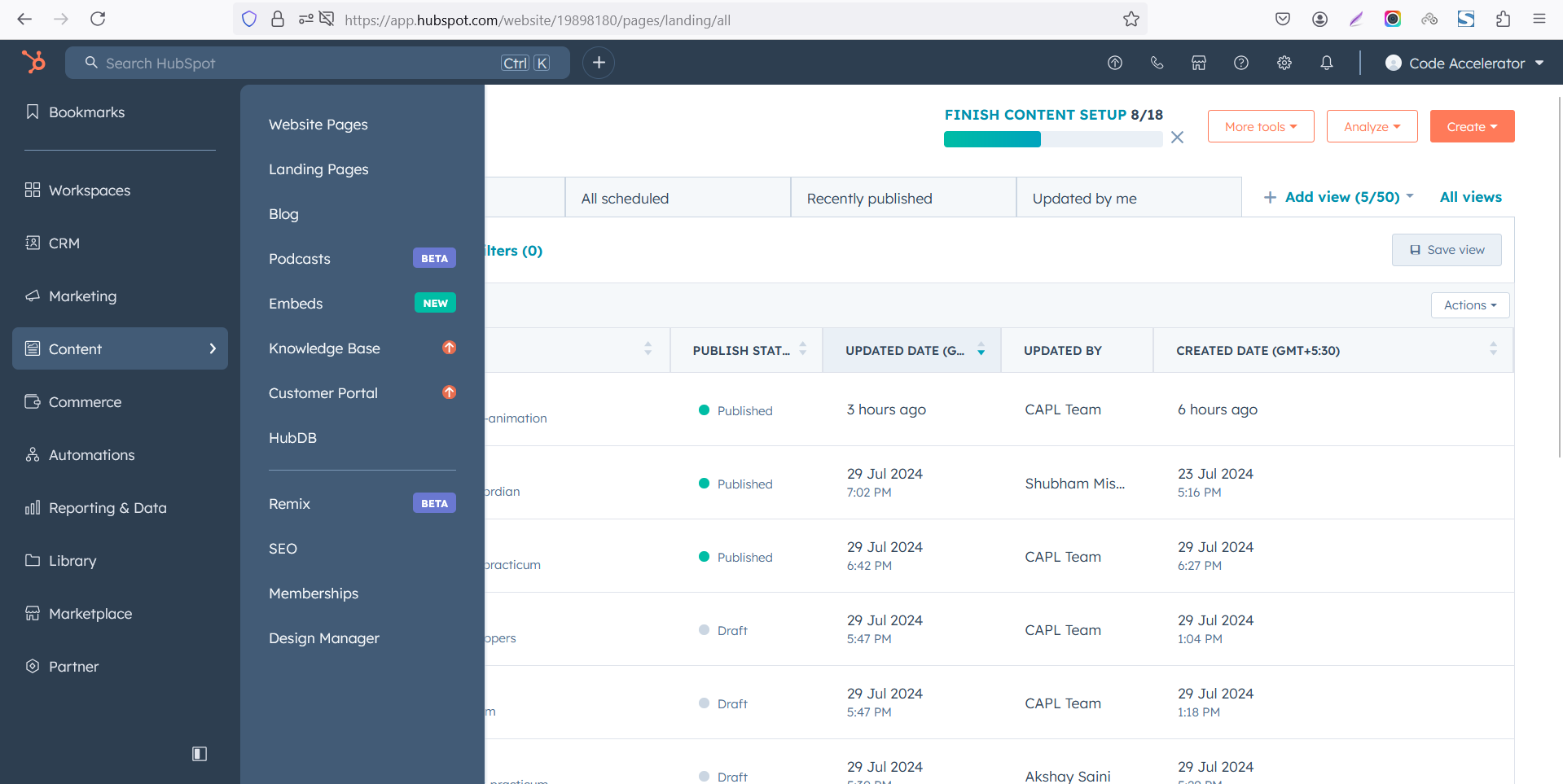
Select the page where you want to apply the module.
-Feb-13-2026-06-28-13-0187-PM.png)
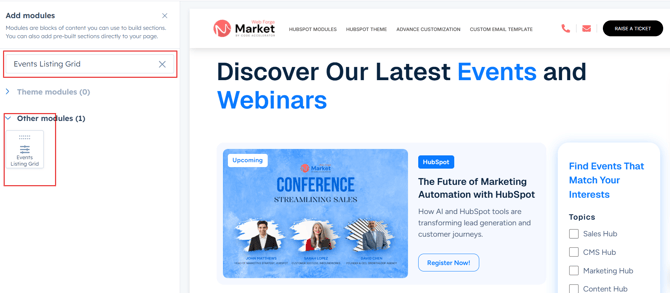
Search for "Events Listing Grid" and drag and drop the module into the desired location on your page.
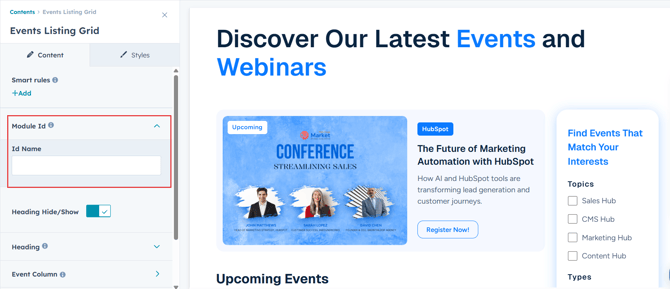
Module Defaults Options:
Layout ID :
You can add an ID in this and use that same ID in an anchor link to create a smooth scroll effect when a user clicks a CTA (Call to Action).
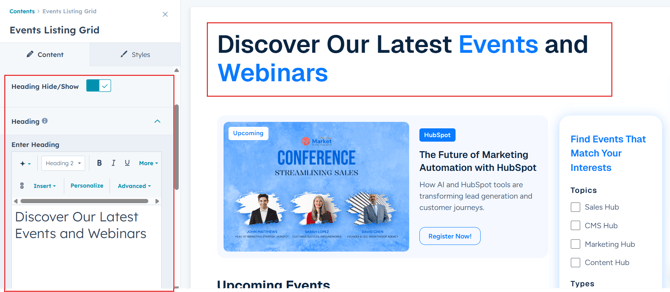
Heading :
Easily customize the content in your module by modifying the "Heading suit your needs. You can also choose to hide the section if desired, giving you complete control over the presentation and functionality of your content.
Options :
- Heading Show/Hide Toggle
Event Columns Content :
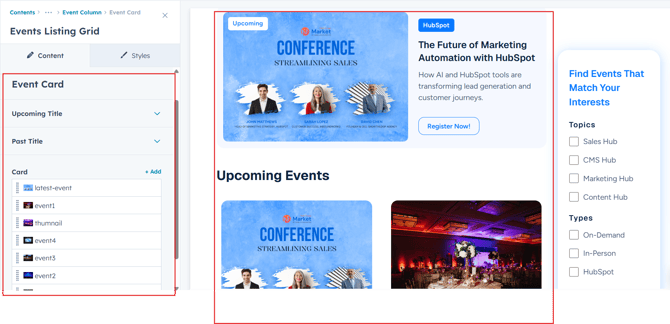
You can change the event topic, type, title, description and date with just a few clicks. Additionally, customize your CTA (Call to Action) text and link to ensure it aligns with your event's goals.
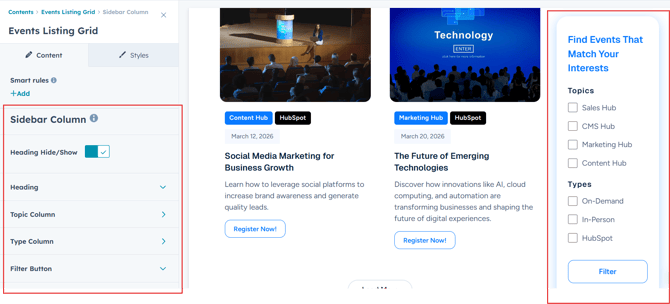
Sidebar Column :
Allow users to quickly filter events by selecting topics or event types using simple checkbox options. This feature makes it easy to find relevant events such as webinars, workshops, or conferences based on user interests.
Module Style Options:
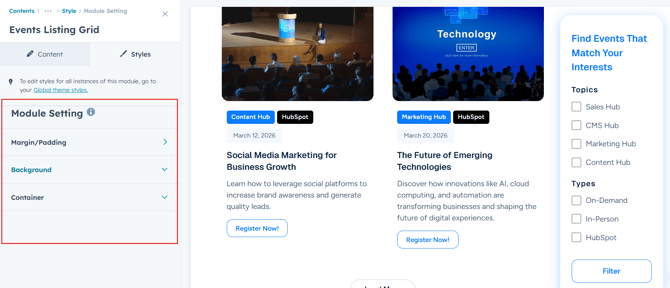
Module Setting :
Adjust the margins, padding, background colors, and container width to achieve your desired look and feel for the module. This flexibility allows you to fine-tune the layout and aesthetics, ensuring that your design is not only visually appealing but also functional and user-friendly.
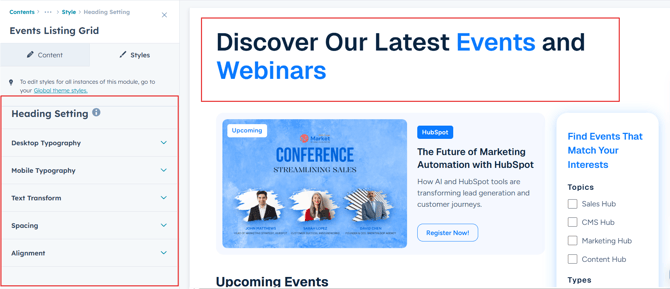
Heading Setting :
Users can customize the spacing of the module, as well as adjust the typography for the heading. This includes modifying the color, font size, weight, and line height for both mobile and desktop views, allowing for a personalized and visually cohesive design across all devices.
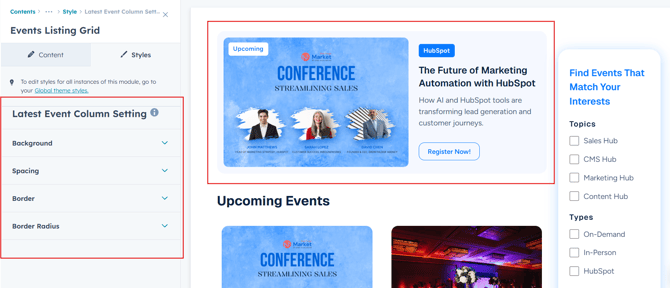
Latest Event Column Setting :
Users can easily customize the Latest Event Column Spacing for both desktop and mobile views. You can also adjust the Background Color, set the Border and Border Radius for added depth and visual appeal.
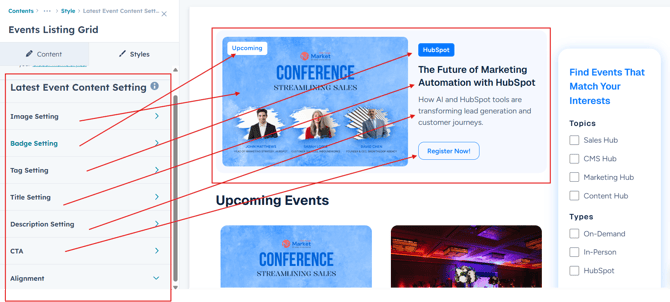
Latest Event Content Setting :
Users can customize the typography of the column content, including spacing, line height, font size, color, alignment, and text transform for both desktop and mobile views. This allows for complete control over the visual style and ensures consistency across devices.
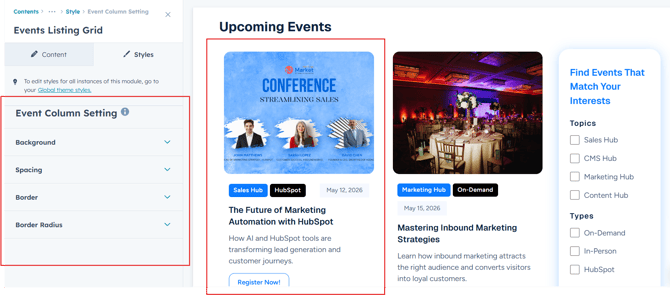
Event Column Setting :
Users can easily customize the Event Column Spacing for both desktop and mobile views. You can also adjust the Background Color, set the Border and Border Radius for added depth and visual appeal.
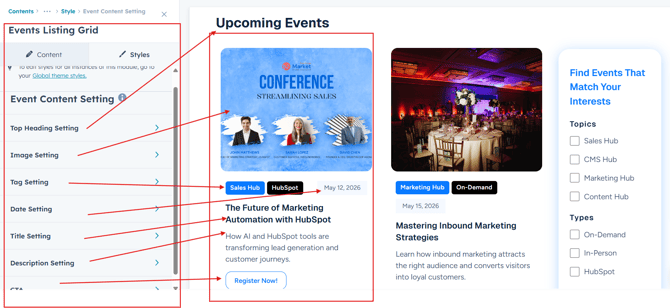
Event Content Setting :
Users can customize the typography of the column content, including spacing, line height, font size, color, alignment, and text transform for both desktop and mobile views. This allows for complete control over the visual style and ensures consistency across devices.
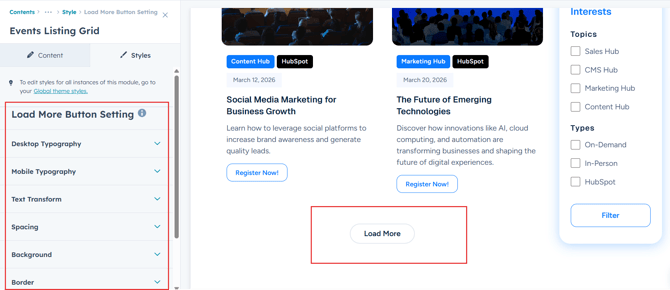
Load More Button Setting :
You can customize the Load More Button and select a typography, spacing, background, corner, border and text transform according to your preferences.
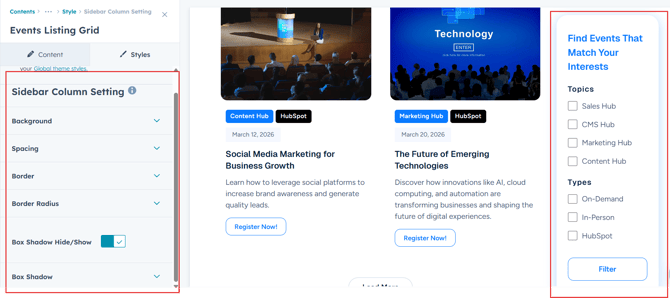
Sidebar Column Setting :
Users can easily customize the Sidebar Column Spacing for both desktop and mobile views. You can also adjust the Background Color, set the Border and Border Radius, and apply a Box Shadow for added depth and visual appeal.
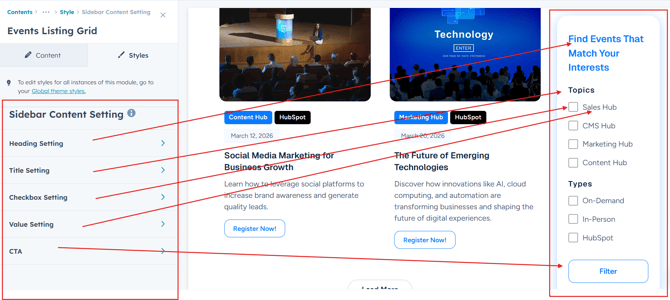
Sidebar Content Setting :
Users can customize the typography of the sidebar column, including spacing, line height, font size, color, alignment, and text transform for both desktop and mobile views. This allows for complete control over the visual style and ensures consistency across devices.
We hope you enjoy using our events listing grid module to create a seamless experience for both your users and your marketing team. At Code Accelerator, we're committed to ensuring your HubSpot experience is exceptional. If you need a custom HubSpot module or require a tailored HubSpot CMS or CRM setup, please don’t hesitate to Contact Us.