
Customer Support Plans Module helps you showcase customer support packages, maintenance plans, and custom development services with modern, responsive pricing cards. Display customizable pricing, featured badges and plan details to help visitors compare services and increase conversions. Fully responsive and easy to customize within the HubSpot editor.
Key Features Customer Support Plans Module :
-
Multiple Support Plan Cards : Display multiple customer support plans in a clean, responsive card layout. Easily showcase different pricing options, service levels, and support packages.
- Custom Pricing Display : Present fixed prices, hourly rates, or custom pricing with flexible formatting. Perfect for support, maintenance, and development service plans.
-
Responsive Design: Adjusts seamlessly across devices, from desktops to mobile screens.
-
Customizable Styles: Fully customizable with CSS variables for themes, fonts, colors, and animations.
-
Performance Optimization: Lightweight animations optimized to ensure smooth interactions without lag.
- Featured Plan Highlight : Highlight your most popular or recommended support plan with a customizable badge, unique styling, and visual emphasis to increase conversions.
How to Set Up the Customer Support Plans Module in HubSpot :
In the main dashboard, navigate to the ‘Content’ tab and select either ‘Website’ or ‘Landing Pages’, depending on where you want to add the section. This allows you to choose the appropriate location for managing or updating your content.
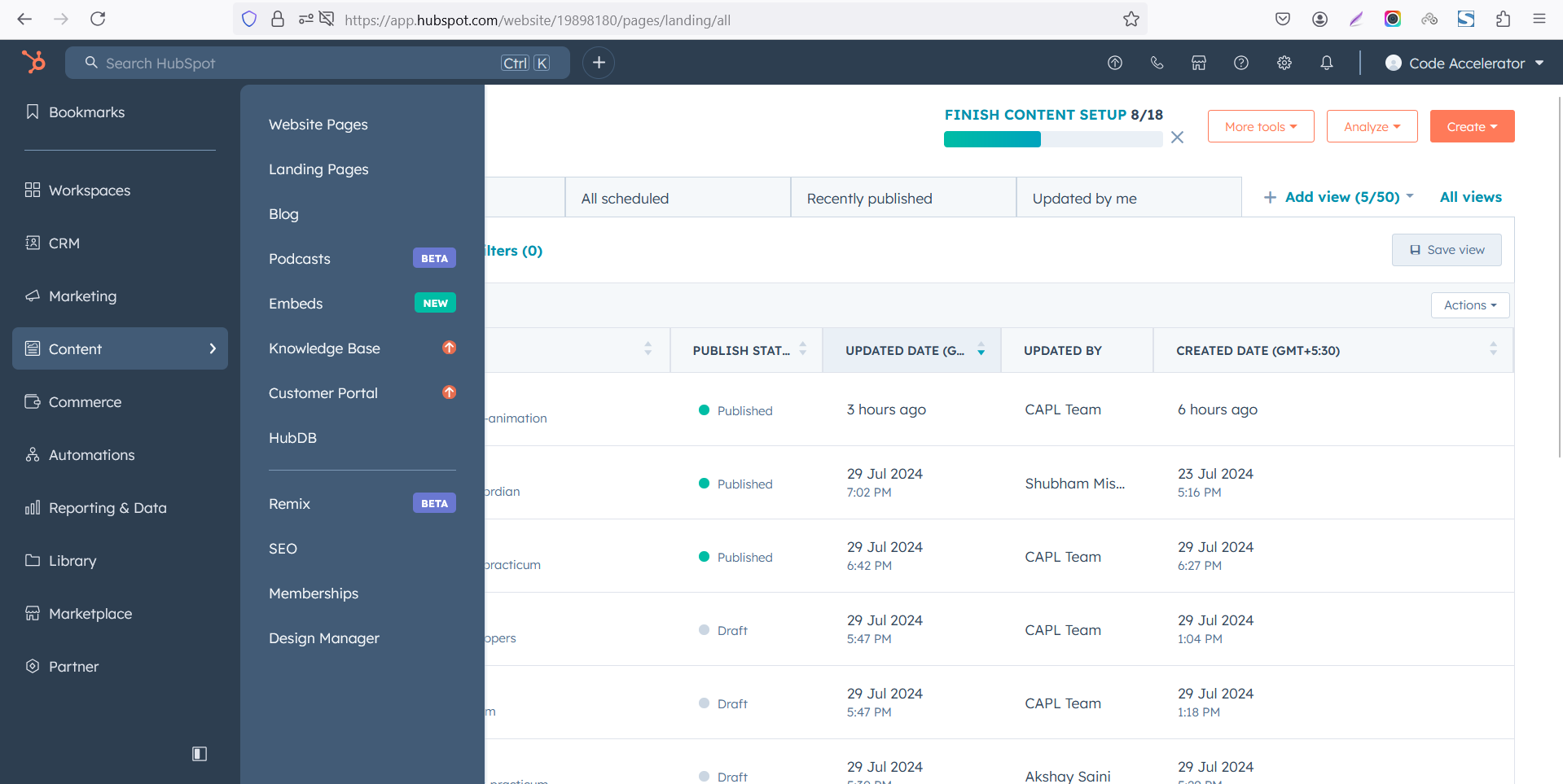
Select the page where you want to apply the module.
-Feb-13-2026-06-36-17-9723-PM.png)
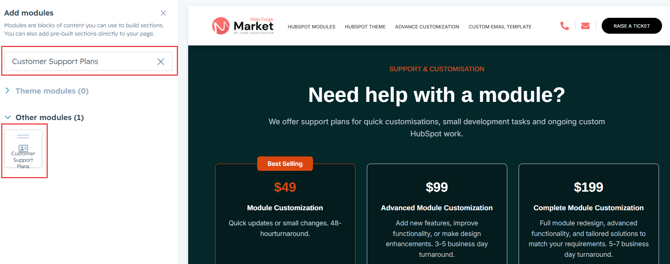
Search for "Customer Support Plans" and drag and drop the module into the desired location on your page.
Module Defaults Options:
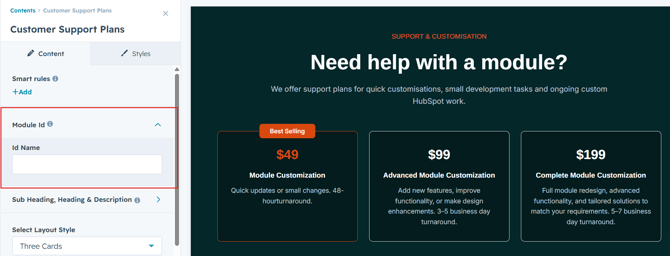
Layout ID :
To enable smooth scrolling for a CTA, assign an ID to the target element, reference that ID in the anchor link's href, and clicking the CTA will smoothly scroll the page to the section.
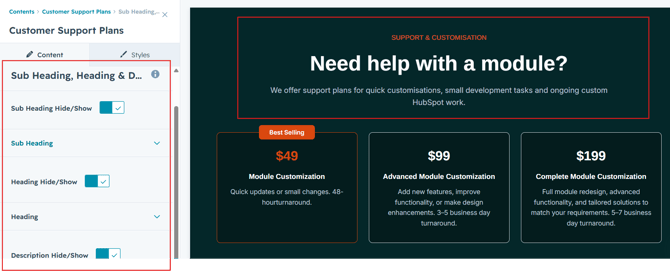
Sub Heading, Heading & Description :
Easily customize the content in your module by modifying the "Sub Heading", "Heading," "Description. You can also choose to hide the section if desired, giving you complete control over the presentation and functionality of your content.
Options :
- Heading/Description & Sub Heading Show/Hide Toggle
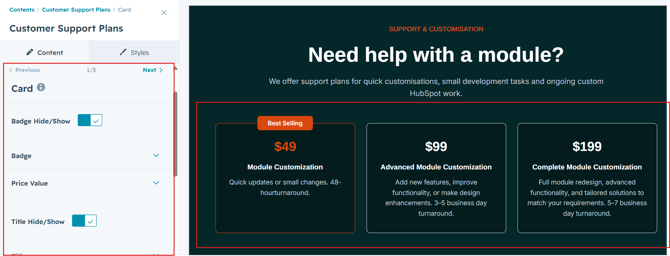
Card Content :
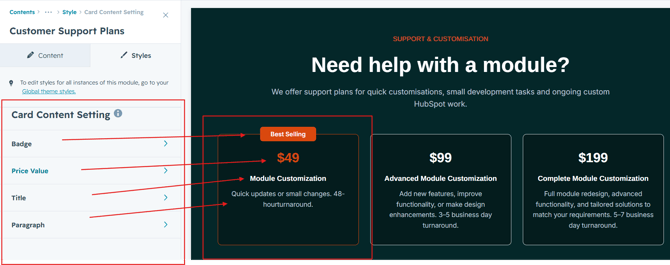
Users can customize each support plan by adding a badge, price, title, description, and card URL to showcase their services in a clear and professional pricing layout. They can also duplicate plan cards as needed to present multiple support packages, maintenance plans, or custom development services, creating a flexible, responsive, and visually engaging pricing section.
Module Style Options:
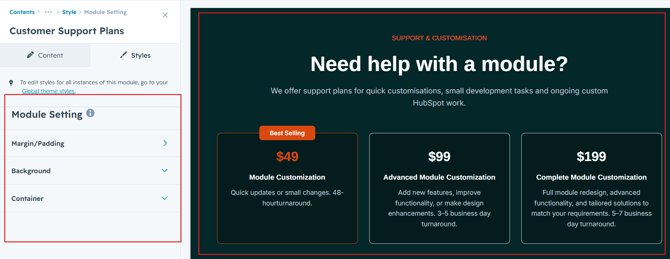
Module Setting :
Adjust the margins, padding, background colors, and container width to customize the module's appearance. This flexibility lets you refine the layout and aesthetics, creating a visually appealing, functional, and user-friendly design.
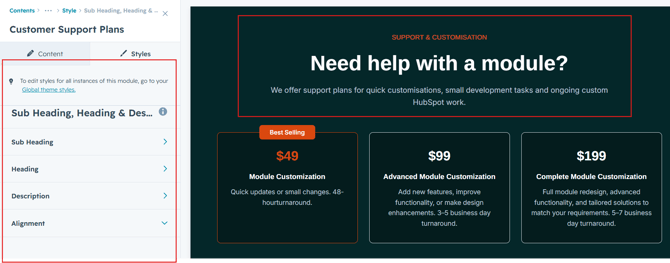
Sub Heading, Heading & Description Setting :
Users can customize the spacing of the heading, as well as adjust the typography for the sub heading, heading and description. This includes modifying the color, font size, weight, and line height for both mobile and desktop views, allowing for a personalized and visually cohesive design across all devices.
Card Column Setting :
Users can customize column spacing and adjust the background, border, border radius to create their desired design style.
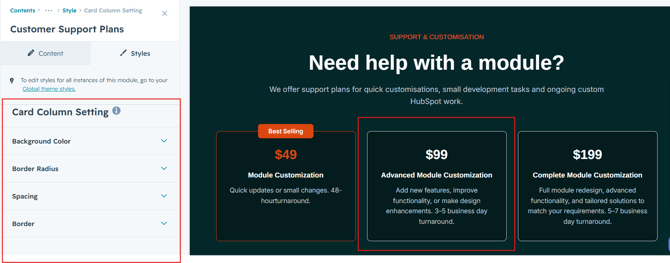
Users can customize the badge, number value, title and paragraph by adjusting font size, line height, and spacing for both mobile and desktop views. They can also modify text transform.
We hope you enjoy using customer support plans module to create a seamless experience for both your users and your marketing team. At Code Accelerator, we're committed to ensuring your HubSpot experience is exceptional. If you need a custom HubSpot module or require a tailored HubSpot CMS or CRM setup, please don’t hesitate to Contact Us.