
The Contact Us CTA Module is designed to help businesses create high-converting call-to-action sections that encourage visitors to connect, inquire, or schedule meetings. The module includes two professionally designed layouts, providing flexibility for different use cases and page designs.
Fully responsive and highly customizable, this module is designed to enhance user engagement, improve content presentation, and deliver a modern browsing experience across all devices.
Key Features Contact Us CTA Module :
- Two built-in CTA layouts
- Customizable content and CTA buttons
- Email information support
- Image upload
- Background and styling customization options
- Fully responsive across all devices
- Easy content management through HubSpot's drag-and-drop editor
How to Set Up the Contact Us CTA Module in HubSpot :
In the main dashboard, navigate to the ‘Content’ tab and select either ‘Website’ or ‘Landing Pages’, depending on where you want to add the section. This allows you to choose the appropriate location for managing or updating your content.
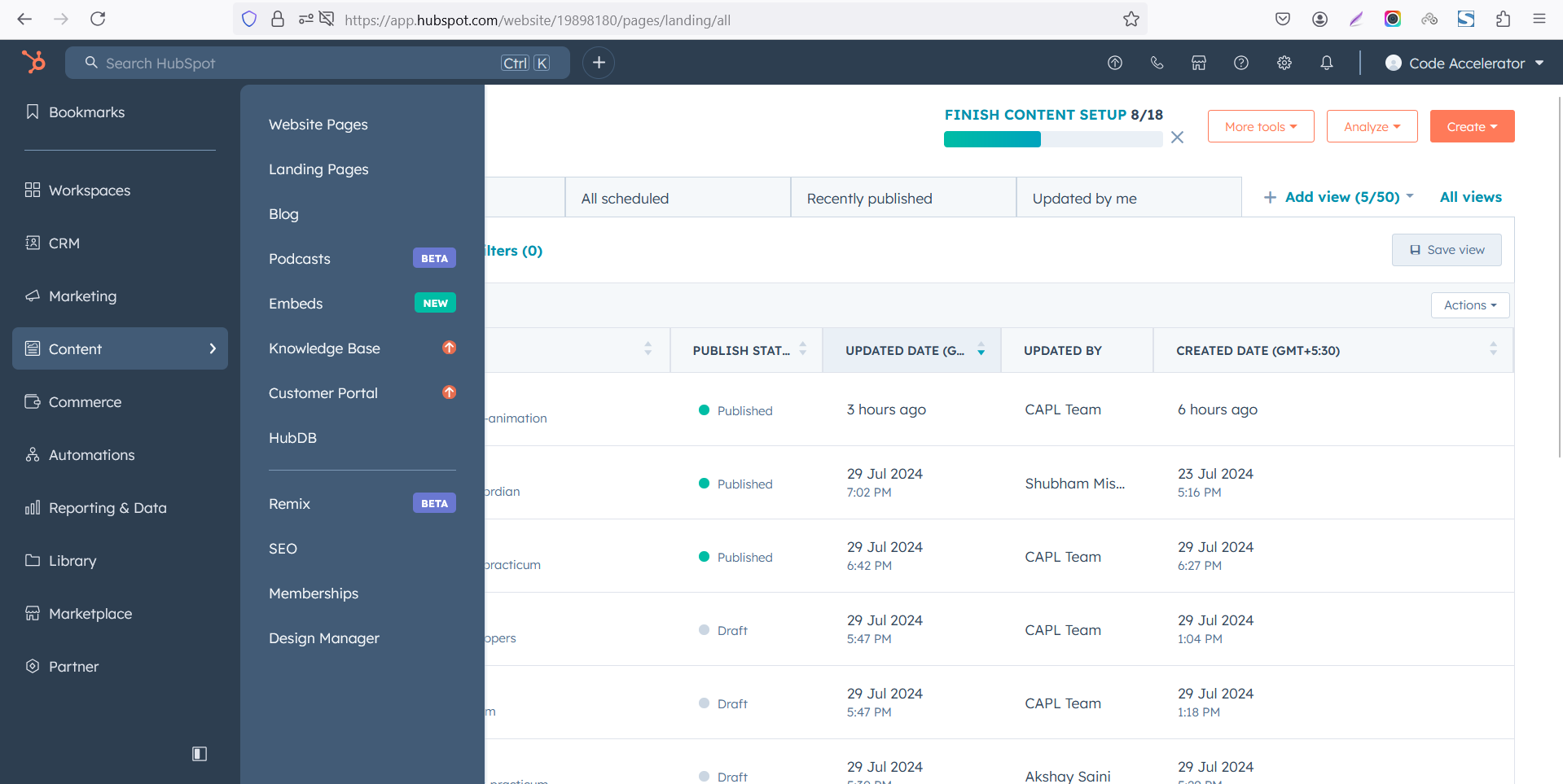
Select the page where you want to apply the module.
-Feb-13-2026-06-36-17-9723-PM.png)
Search for "Contact Us CTA" and drag and drop the module into the desired location on your page.
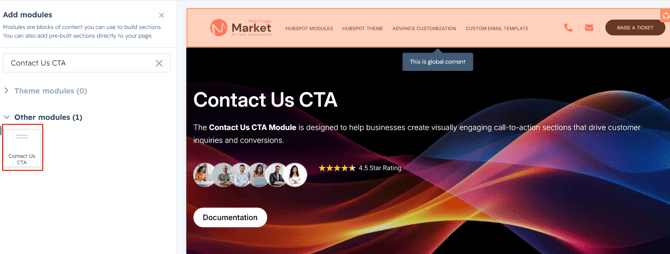
Module Defaults Options:
Layout Option :
Flexible layout options allow you to customize the module appearance to your preference.
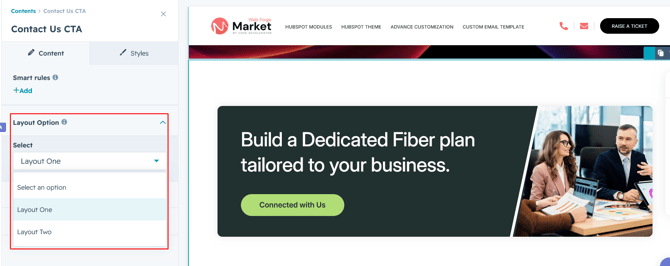
Heading/CTA Content :
You can easily update the heading, CTA text, and CTA link, with the option to show or hide each element as needed.
Options :
Heading/CTA Show/Hide Toggle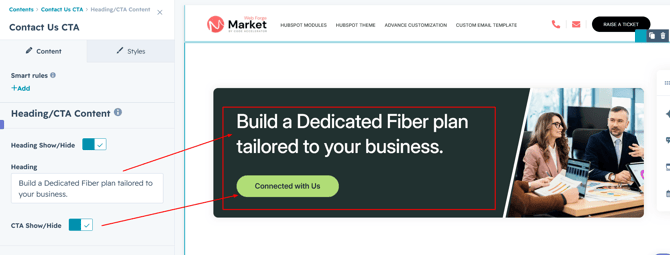
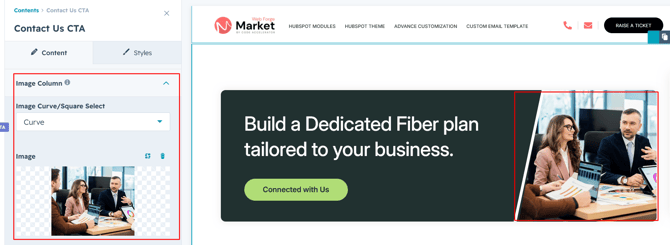
Image Column :
Easily update the column image and choose between curved or square image styles to match your design preferences.
Module Style Options:
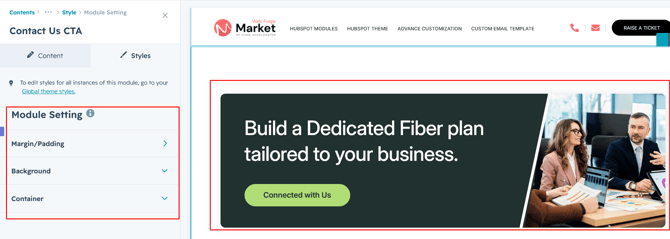
Module Setting :
Customize the module with flexible background options, adjustable width settings, and spacing controls for both desktop and mobile devices.
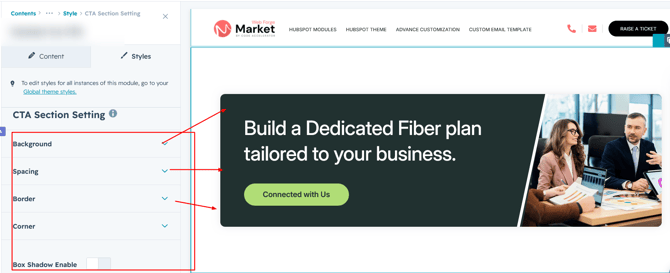
CTA Section Setting :
Customize the CTA section with flexible options for background color, spacing, border, border radius, and box shadow to create a unique and visually appealing design.
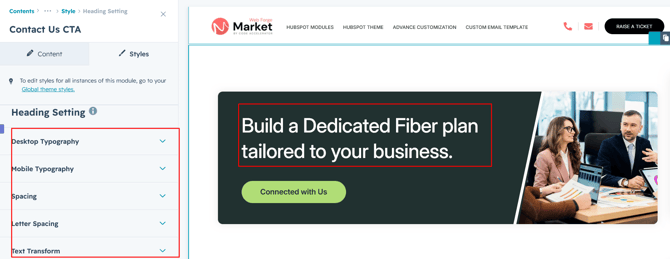
Heading Setting :
Customize the heading typography, adjust spacing, set alignment, and apply text transformations to match your design requirements.
CTA Setting :
Customize the CTA button for both desktop and mobile views with flexible options for typography, background color, hover effects, borders, border radius, and spacing.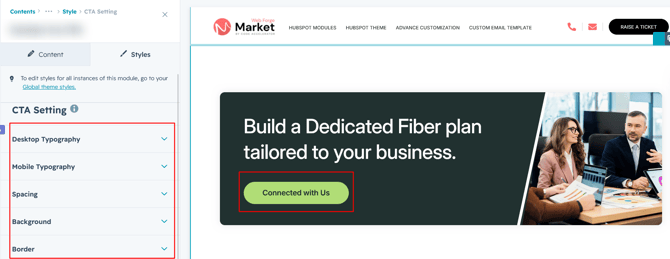
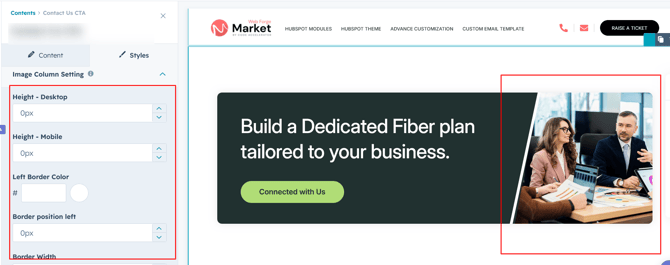
Image Column Setting :
Customize the image settings by adjusting the image height to create a layout that perfectly complements your CTA module design.
We hope you enjoy using contact us CTA module to create a seamless experience for both your users and your marketing team. At Code Accelerator, we're committed to ensuring your HubSpot experience is exceptional. If you need a custom HubSpot module or require a tailored HubSpot CMS or CRM setup, please don’t hesitate to Contact Us.