
Case Study Success Slider Module helps you showcase client success stories in a professional and engaging slider format. Highlight business challenges, solutions, key results, and success milestones to demonstrate real-world impact.
Fully responsive and highly customizable, this module is designed to build trust, strengthen credibility, and showcase proven success stories across your website.
Key Features of a Case Study Success Slider Module :
✅ Fully Mobile Responsive – Seamlessly adapts to all screen sizes for the best viewing experience.
✅ Multiple Testimonial Items Support – Easily add and manage multiple testimonials including customer name, position, company, and review content.
✅ Slide Arrows Option – Optional navigation arrows enhance usability.
✅ Modern & Clean Design – Sleek, contemporary styling fits perfectly into any modern website.
✅ Easy to Edit – Quickly customize content, styles, and settings without hassle.
✅ Easy to Integrate – Simple setup and integration into any page or theme.
✅ Optimized for Performance – Lightweight and fast for smooth transitions and loading.
✅ Smooth Animation Effects - Built-in fade or slide animations enhance visual engagement without affecting performance.
How to Set Up the Case Study Success Slider in HubSpot :
In the main dashboard, go to the ‘Content’ tab and select either ‘Website’ or ‘Landing Pages,’ depending on where you want to add the section. This lets you choose the right location for managing or updating your content.
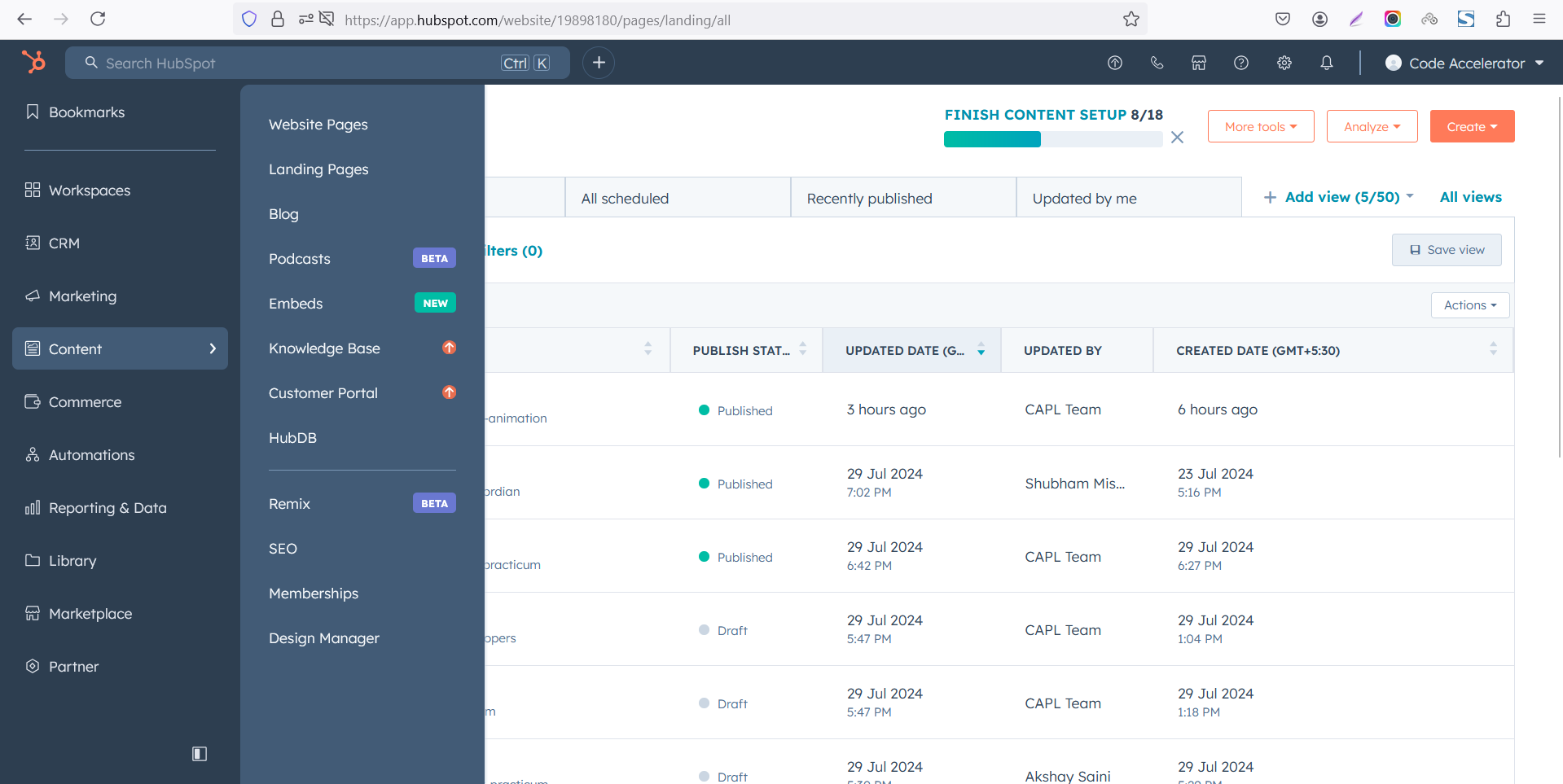 Select the page where you want to apply the module.
-Feb-13-2026-06-36-57-8607-PM.png)
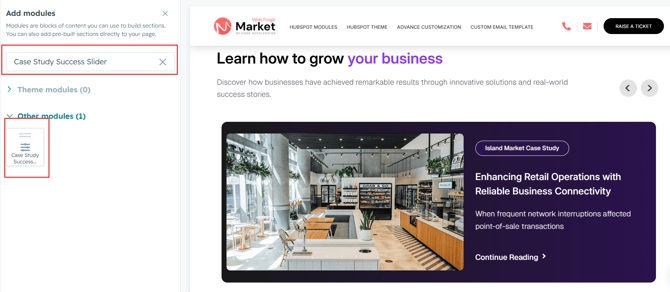
Search for "Case Study Success Slider" and drag and drop the module into the desired location on your page.
Module Defaults Options:
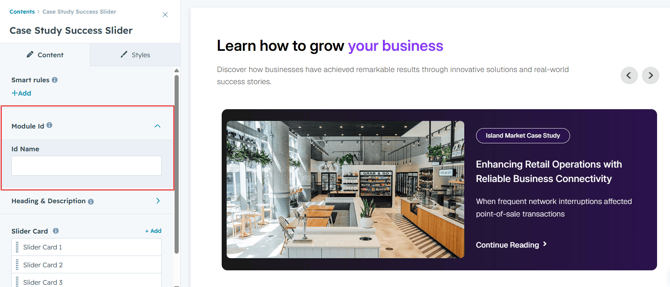
Layout ID :
Easily enhance navigation by adding an ID to the target section and using the same ID in an anchor link. This enables a smooth scrolling effect when users click a Call-to-Action (CTA) button, improving the overall user experience.
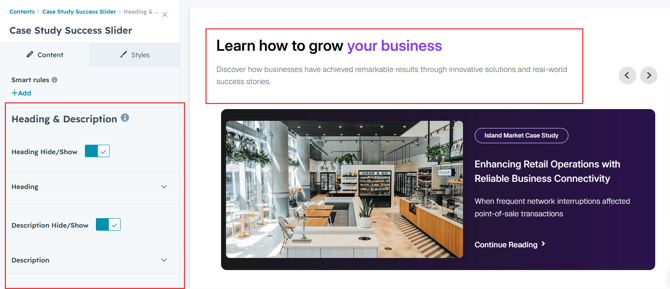
Heading & Description :
You can change the heading and description with show/hide allowing for a flexible and customizable user experience.
- Update the heading and description
- Easily manage and organize how content is shown based on user interaction
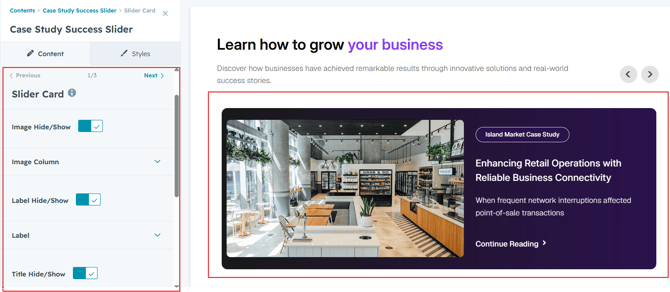
Slider Content :
- Image
Upload a featured image to visually represent your case study. Easily customize the image to match your brand and layout preferences. -
Label
Add a short label or category to organize and highlight your case studies. Perfect for showcasing industries, services, or project types. -
Title
Enter a compelling case study title to capture attention and clearly communicate the success story. - Description
Provide a brief overview of the project, challenge, solution, or results. Use this section to share key details and achievements. - CTA (Call to Action)
Add a customizable button to encourage users to learn more, view the full case study, or take the next step. Customize the text and link directly from the editor.
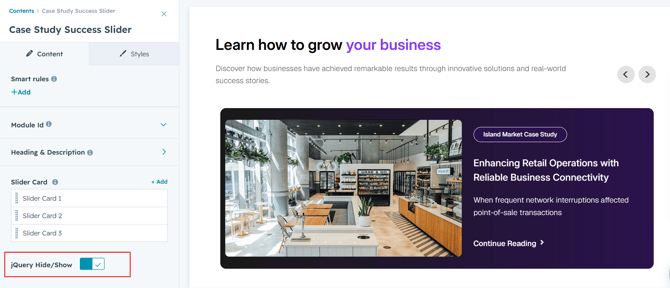
jQuery Add/Remove :
Users can add or remove jQuery JavaScript as needed, providing flexibility to enhance functionality or optimize performance based on their requirements.
Module Style Options:
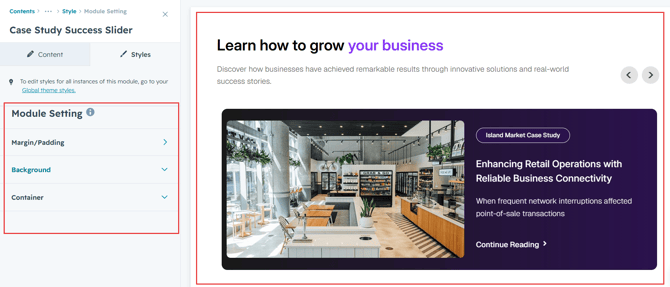
Module Setting :
Adjust the margins, padding and background colors to achieve your desired look and feel for the module. This flexibility lets you fine-tune the layout and aesthetics, ensuring your design is both visually appealing and user-friendly.
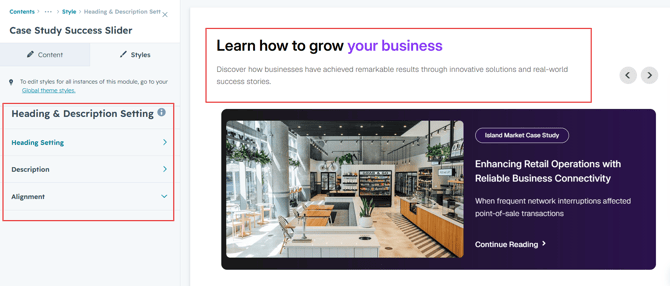
Heading & Description Setting :
In this module, you have full flexibility to customize the heading and description to perfectly align with your design vision. You can easily adjust the spacing around the text, apply text transformations such as uppercase or lowercase, and set the alignment (left, center, or right) to create the ideal layout. These options ensure your content remains visually balanced and responsive across all devices.
- Text Styling Options
Set font size, color, spacing, and apply text transforms like uppercase or capitalize. - Responsive Alignment
Align your content (left, center, or right) for both desktop and mobile devices. - Spacing Adjustments
Add padding or margins around your content to create visual balance.
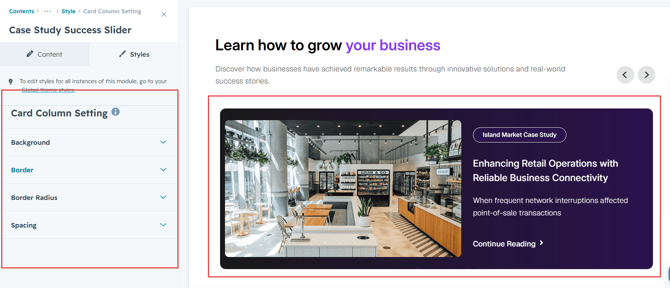
Slider Card Setting :
You have full control over customizing the column box to align with your design preferences. Adjust the background, spacing, border and corners to create the perfect look for your layout. Tailor these elements to ensure your content stands out and blends seamlessly with the rest of your design.
- Background Customization
Choose a solid color, gradient, or even an image background for your column box. - Spacing Control
Adjust the padding and margin to create the ideal distance between elements and prevent overcrowding. - Border Styling
Set borders with customizable width, color, and style to frame your content attractively. - Corner Radius
Round the corners to create smooth, modern edges for a softer design.
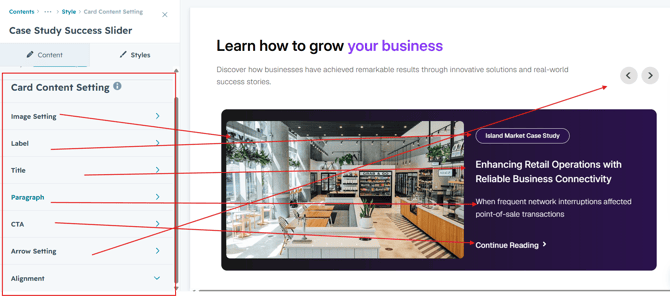
Slider Content Setting :
Take full control over your column content by customizing the typography, spacing, and alignment to match your brand's design style. You can adjust text transform options, icon size to make them stand out. Whether you’re updating typography, or configuring borders every detail can be tailored for a cohesive and visually appealing look.
- Typography Customization
Adjust font size, style, and color for headings, descriptions, and other text elements to create a consistent visual identity. - Spacing & Alignment
Control padding, margin, and text alignment to ensure optimal content positioning and balance. - Text Transform
Modify text case and style (uppercase, lowercase, capitalize) for better readability and emphasis. - Clients Info
Customize the profile image, name and position.
We hope you enjoy using our case study success slider module to create a seamless experience for both your users and your marketing team. At Code Accelerator, we're committed to ensuring your HubSpot experience is exceptional. If you need a custom HubSpot module or require a tailored HubSpot CMS or CRM setup, please don’t hesitate to Contact Us.