
Animated Process Steps is a responsive HubSpot module designed to showcase step-by-step processes, workflows, services, tutorials, and onboarding content in a clean, interactive, and user-friendly layout with smooth animations and sequential navigation.
Key Features of a Animated Process Steps :
✅ Chart Functionality
- Visually represent progress or performance with built-in graph elements for added clarity and impact.
✅ Step Numbering
-
Each step is distinctly numbered to ensure clarity and easy tracking.
-
The numbering helps users follow the process in a structured way.
✅ Two-Column Layout
-
The right column typically contains the step number and title.
-
The left column provides images with more details.
-
This layout enhances readability and maintains a clean, structured design.
✅ Step with Tab Functionality
-
Each step can include a tab-based navigation system.
-
Tabs can be used to segment additional information without overwhelming the user.
✅ Responsive & Adaptive Design
-
Adjusts seamlessly for different screen sizes, ensuring a smooth experience on desktop and mobile.
-
On smaller screens, the two-column layout may stack vertically for better readability.
✅ Customizable Design
-
Colors, fonts, and step layouts can be customized to match branding and UI design preferences.
-
Step no. or visuals can be added next to steps for improved understanding.
How to Set Up the Animated Process Steps Module in HubSpot :
In the main dashboard, go to the ‘Content’ tab and select either ‘Website’ or ‘Landing Pages,’ depending on where you want to add the section. This lets you choose the right location for managing or updating your content.
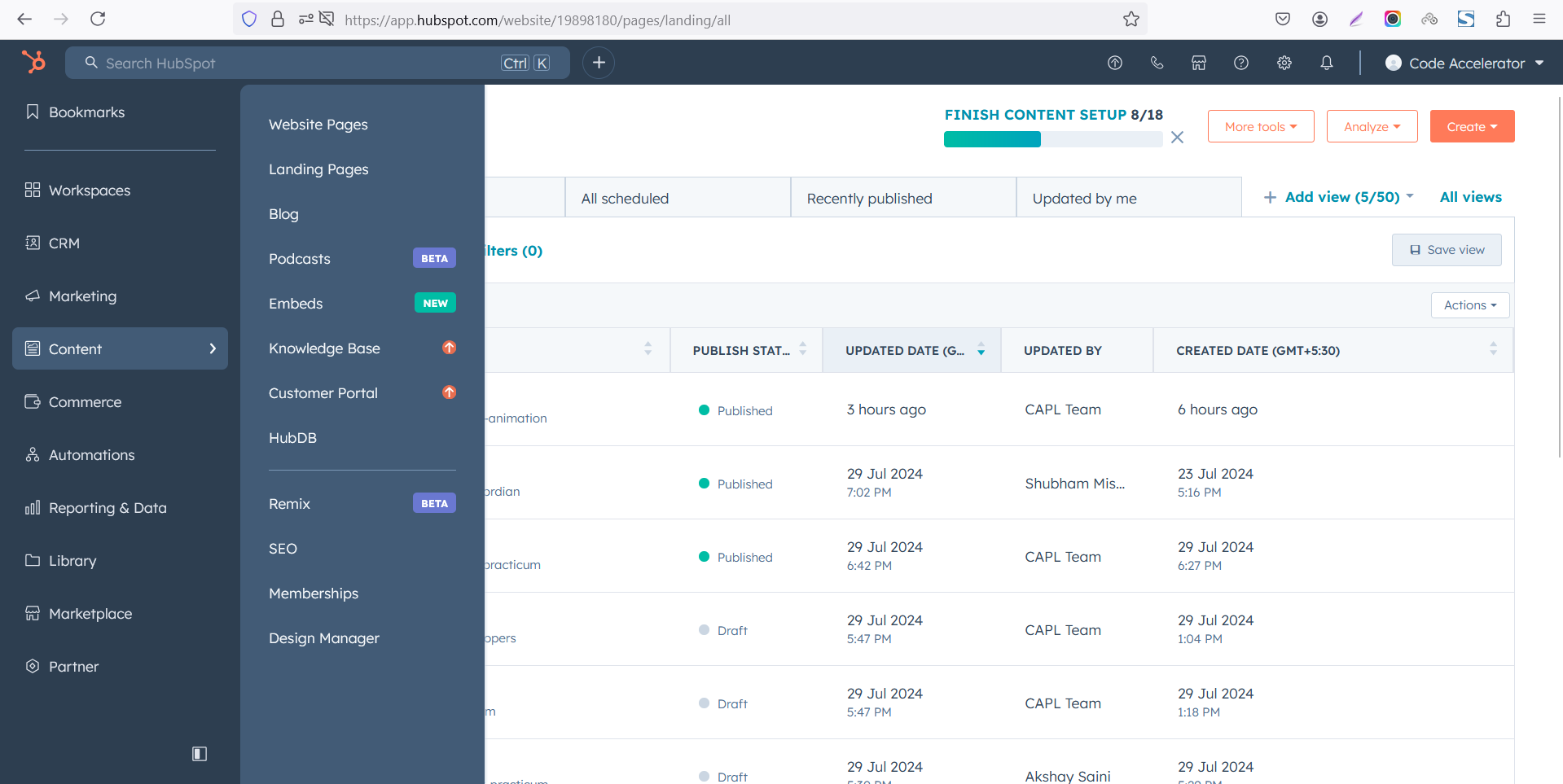 Select the page where you want to apply the module.
-Feb-13-2026-06-36-57-8607-PM.png)
Search for "Animated Process Steps" and drag and drop the module into the desired location on your page.
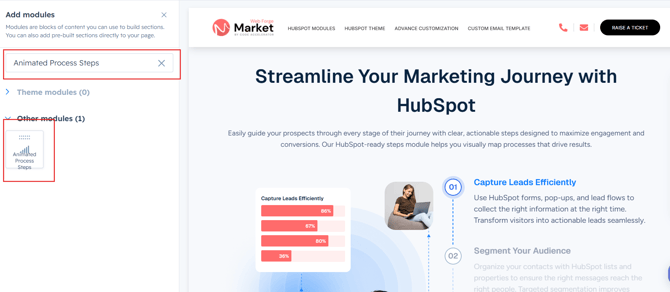
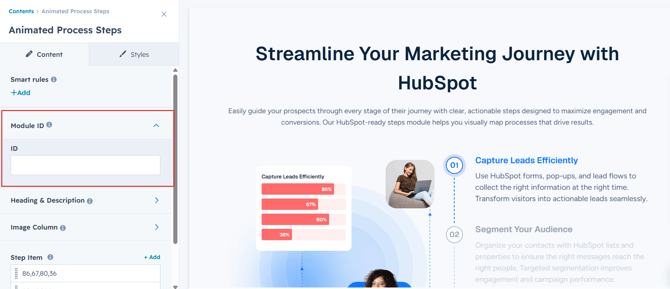
Module Defaults Options:
Layout ID :
You can add an ID to the target section and use the same ID in an anchor link to enable a smooth scrolling effect when a user clicks on a Call-to-Action (CTA) button, enhancing navigation and user experience.
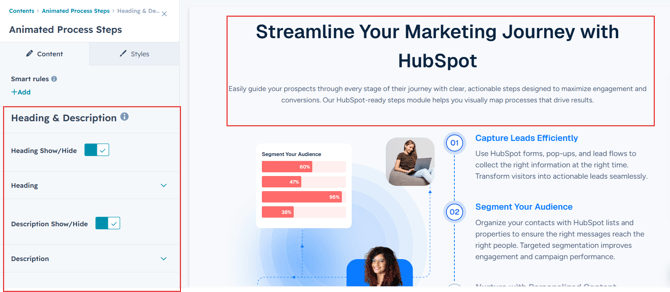
Heading & Description:
You have the flexibility to customize the heading and description to match your design preferences. Additionally, you can choose to show or hide specific elements as needed for a tailored and dynamic layout.
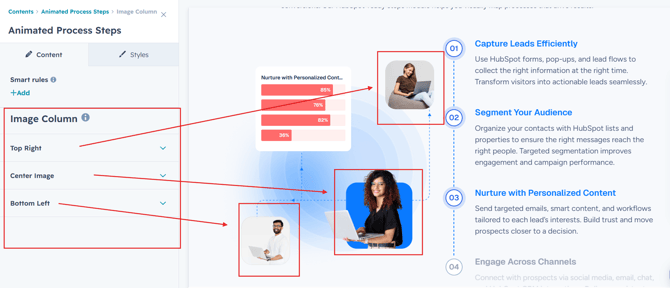
Images :
Easily customize the all images to match your preferences.
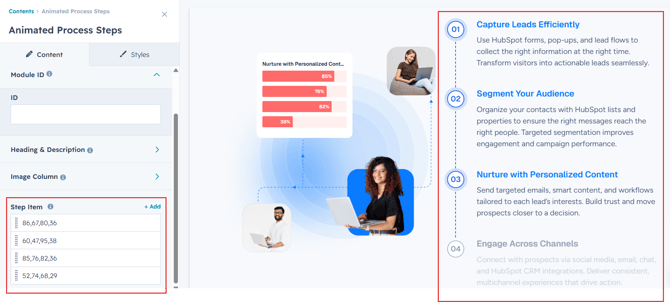
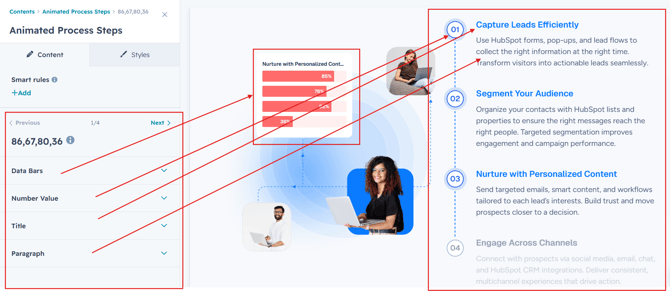
Steps:
Easily customize the step number, title, paragraph and chart values to match your content and branding preferences. You can also add and repeat unlimited tabs or process steps, making it perfect for workflows, timelines, tutorials, onboarding sections, and service showcases.
Module Style Options:
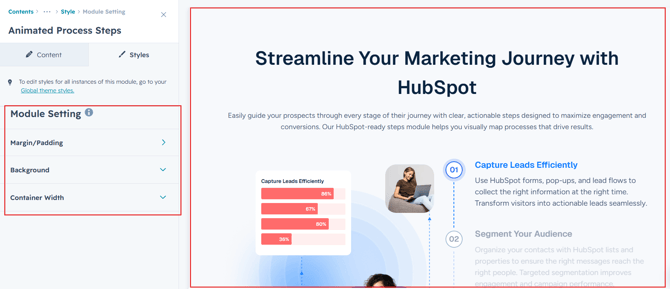
Module Setting :
Adjust the margins, padding, background colors, and container width to achieve your desired look and feel for the module. This flexibility lets you fine-tune the layout and aesthetics, ensuring your design is both visually appealing and user-friendly.
Heading, Description Setting :
Users can customize the heading and description adjust the typography, color, font size, weight and line height for both mobile and desktop views, ensuring a personalized and visually cohesive design across all devices.
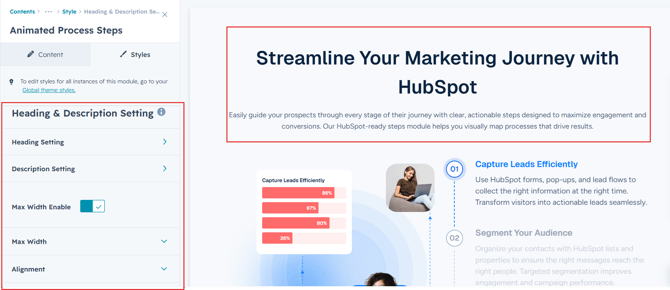
Chart Column Setting :
Easily customize the chart column by adjusting background, spacing and corner to match your design preferences and create a seamless visual experience. It's available in all layouts.
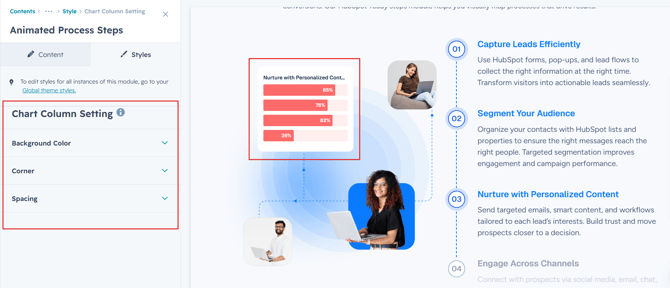
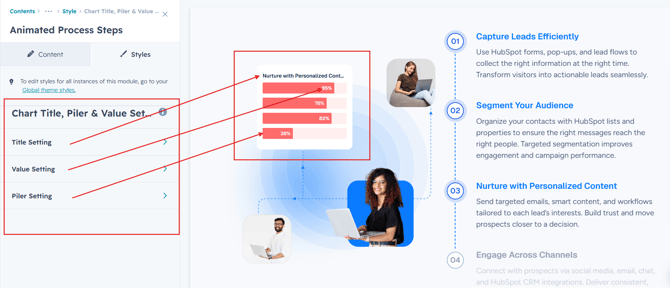
Chart Column Content Setting :
Easily customize the column content by selecting a background, adjusting typography, spacing, alignment, border and corners to match your design preferences. Additionally, modify the typography of the title, number value and pilers with ease.
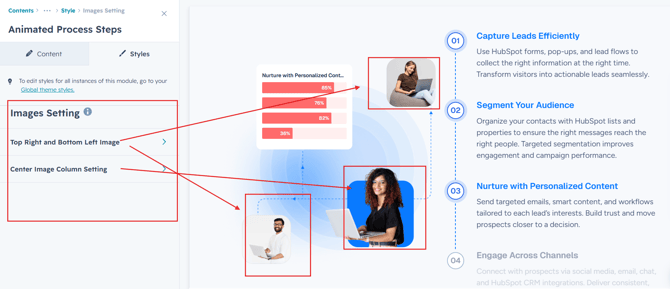
Images Setting :
Easily customize image corner radius, background colors and styling options to match your website design and branding. The flexible image settings help you create a clean, modern, and visually engaging process layout.
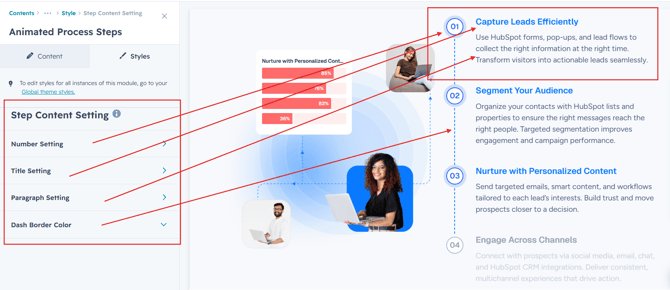
Steps Content Setting :
Easily customize the step column content by selecting a background, adjusting typography, spacing, and adding a corners to match your design preferences.
We hope you enjoy using our animated process steps module to create a seamless experience for both your users and your marketing team. At Code Accelerator, we're committed to ensuring your HubSpot experience is exceptional. If you need a custom HubSpot module or require a tailored HubSpot CMS or CRM setup, please don’t hesitate to Contact Us.