
Turn your pricing section into a flexible, interactive sales tool—without writing a single line of code.
Advance Price Plan makes it easy to showcase and manage pricing plans with monthly and yearly billing, customizable savings badges, two-tier country-based pricing, and flexible plan options. Highlight your Most Popular plan, display original and discounted prices, and help customers compare features with a responsive plan comparison table. With mobile-friendly tabs, customizable content, and easy HubSpot editor controls, you can create a professional pricing experience that adapts to your business and your customers.
Key Features :
✅ Monthly & Yearly Toggle – Let customers switch easily between monthly and yearly pricing plans.
✅ Yearly Savings Badge – Highlight yearly savings with customizable badges such as “Save 10%” or “Save 20%”.
✅ 2-Tier Country-Based Pricing - Set different monthly and yearly prices for customers in selected countries.
✅ Plan Comparison Table - Give customers a detailed side-by-side comparison of features across your plans.
✅ Modern & Clean Design – Sleek, contemporary styling fits perfectly into any modern website.
✅ Easy to Edit – Quickly customize content, styles, and settings without hassle.
✅ Easy to Integrate – Simple setup and integration into any page or theme.
✅ Optimized for Performance – Lightweight and fast for smooth transitions and loading.
✅ Category-Based Pricing – Organize plans by service category.
How to Set Up the Advance Price Plan Module in HubSpot :
In the main dashboard, go to the ‘Content’ tab and select either ‘Website’ or ‘Landing Pages,’ depending on where you want to add the section. This lets you choose the right location for managing or updating your content.
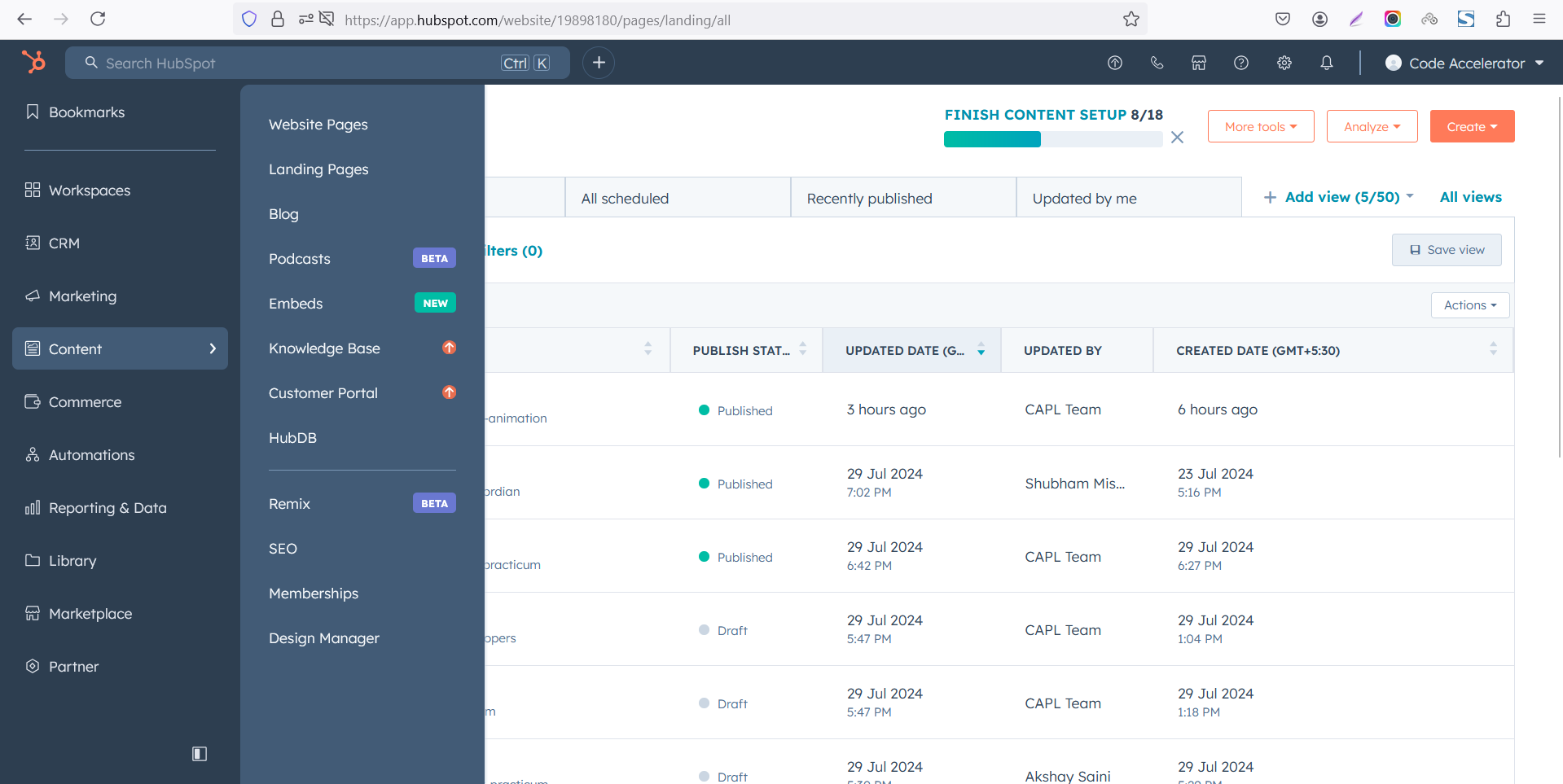 Select the page where you want to apply the module.
-Feb-13-2026-06-36-57-8607-PM.png)
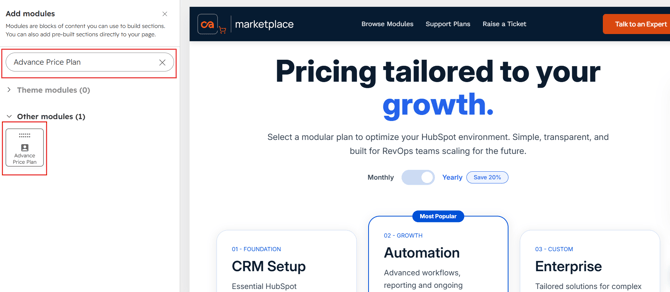
Search for "Advance Price Plan" and drag and drop the module into the desired location on your page.
Module Defaults Options:
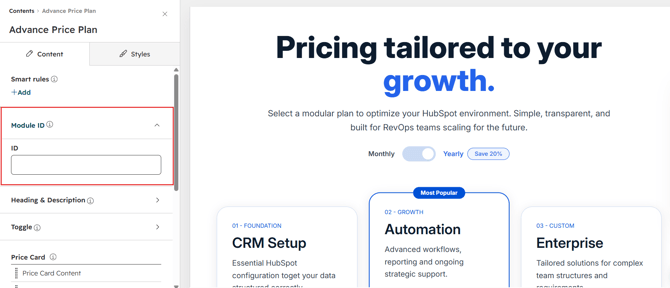
Layout ID :
To enable smooth scrolling for a CTA, assign an ID to the target element, reference that ID in the anchor link's href, and clicking the CTA will smoothly scroll the page to the section.
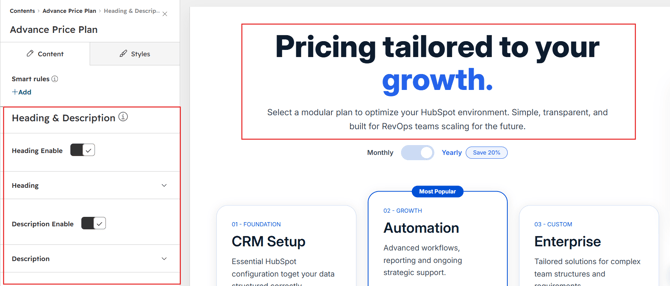
- Fully Customizable heading & description
- Show/Hide Toggle Option
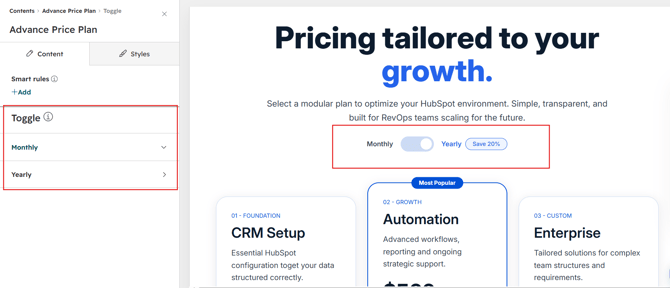
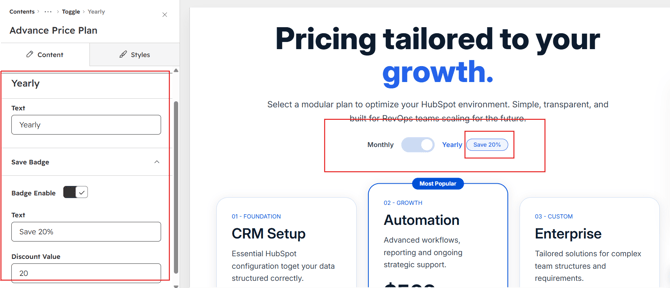
Toggle & Save Badge :
Give customers an easy way to switch between Monthly and Yearly pricing plans.
Highlight yearly savings with a customizable “Save 10%”, “Save 20%”, or any preferred discount value.
Automatically display the appropriate pricing and savings information for each billing period.
To hide the Save badge, simply set the discount value to 0.
Plan Cards :
Each plan card is fully customizable, allowing you to showcase pricing details in a clean and engaging format.
Include a plan name, price, billing period, label, description, features, and CTA to clearly present each offering.
Highlight any plan as Most Popular and customize its badge and supporting content.
You can add up to 3 different plan cards to create a clear and focused pricing experience. 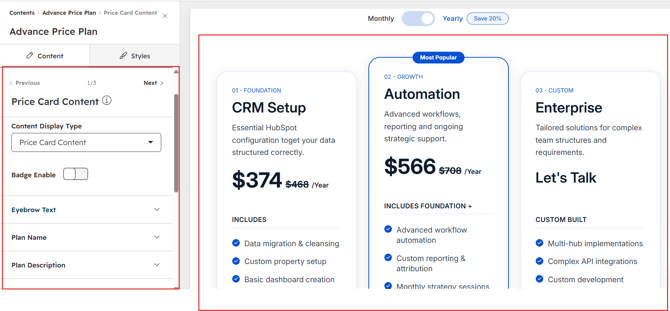
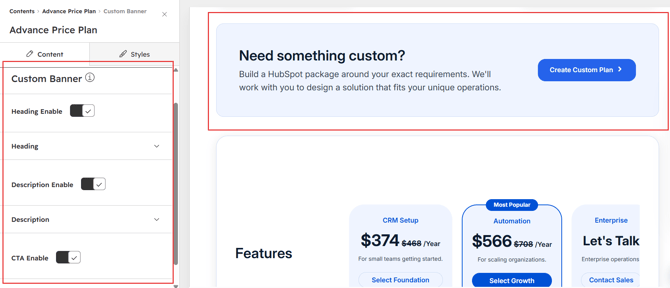
Custom Banner :
Manage your custom banner content with flexible options for a heading, description, and CTA.
Add a clear heading to introduce your message and a description to provide additional details.
Customize the CTA text and link to guide visitors toward the desired action.
Control each element easily from the HubSpot editor without changing the module code.
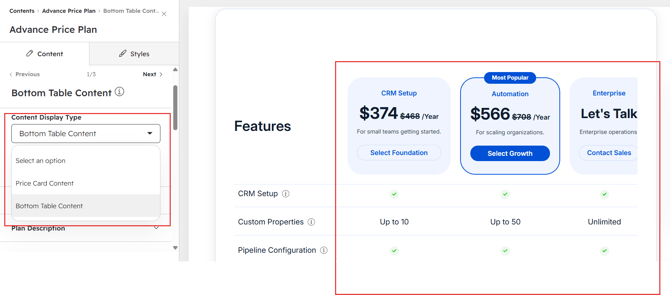
Comparison Table :
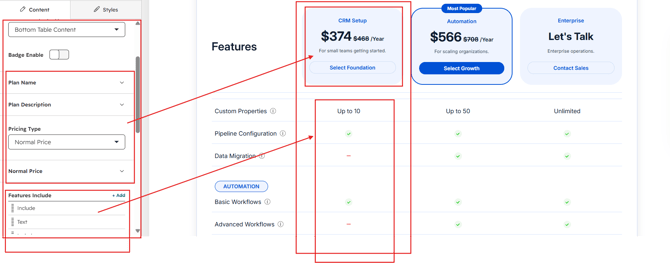
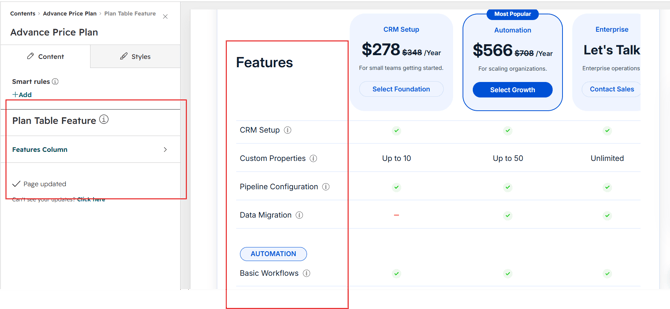
Manage your comparison table by adding feature categories and individual features for each plan.
Set each feature as Included, Not Included, or Custom Text to clearly communicate what every plan offers.
The plan columns in the comparison table are automatically connected to the top pricing cards, keeping plan names and content consistent.
Update your top plan cards once, and the corresponding plan information in the comparison table stays aligned automatically.
Module Style Options:
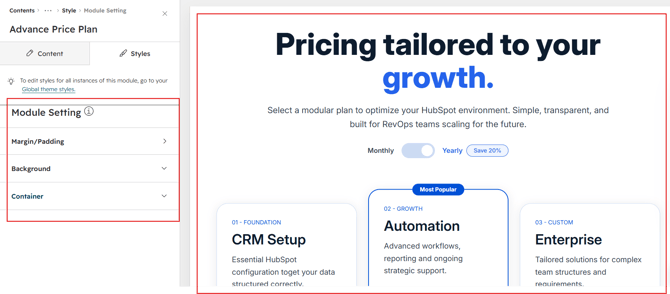
Module Setting :
Adjust the margin, padding, container width and background colors to achieve your desired look and feel for the module. This flexibility lets you fine-tune the layout and aesthetics, ensuring your design is both visually appealing and user-friendly.
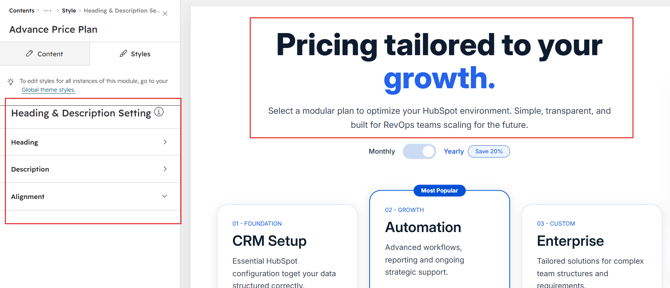
Heading & Description :
Easily style your pricing headings and descriptions to create the perfect first impression. Adjust font size, weight, and color, fine-tune spacing, and align text for maximum impact. Add compelling subheadings or supporting descriptions to highlight value and guide visitors toward the right choice. With flexible customization, your headings and descriptions stay on-brand, clear, and visually engaging — ensuring your pricing section speaks directly to your audience.
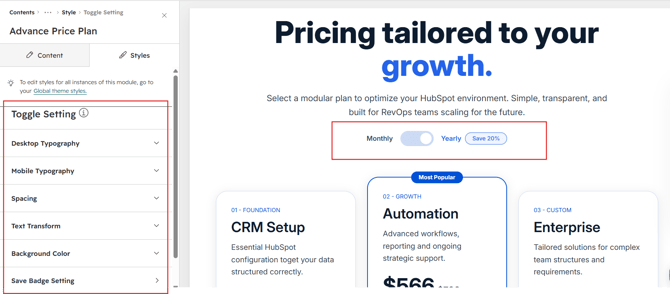
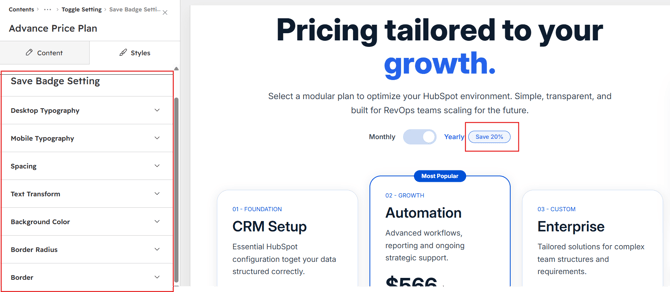
Toggle & Save Badge Styling :
Customize the appearance of the Monthly & Yearly toggle to match your website design.
Adjust the toggle colors, typography, spacing, borders, and active-state styling.
Customize the Save badge with your preferred colors, typography, spacing, and design.
Control the toggle and Save badge styling easily from the HubSpot editor.
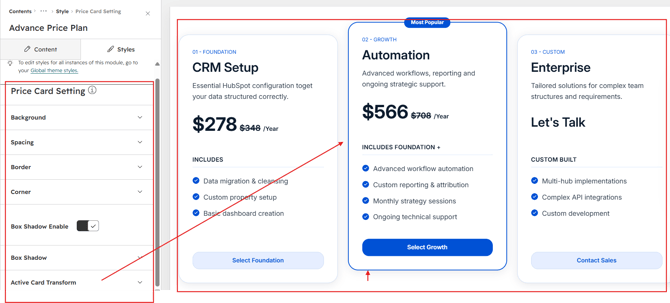
Price Card Styling:
Customize the overall appearance of your pricing cards to match your website design.
Adjust the background, spacing, border, corner radius, and box shadow for a polished card layout.
Control each styling option directly from the HubSpot editor for a consistent and flexible pricing experience.
Price Card Content Styling :
Customize the typography and appearance of your pricing card content to match your website design. Adjust font styles, colors, sizes, line height, spacing, and text alignment for each content element. Style the plan name, description, price, features, labels, and CTA independently for greater flexibility. Manage all card content styling directly from the HubSpot editor.

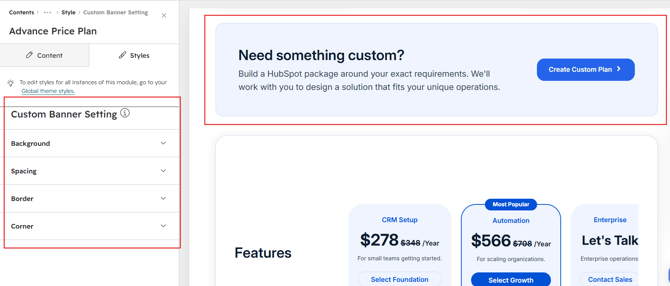
Custom Banner Column Styling :
Customize the appearance of the custom banner column to complement your pricing section.
Adjust the background, spacing, border, and corner radius to create the desired layout and visual style.
Manage all styling options directly from the HubSpot editor for a seamless and consistent design.
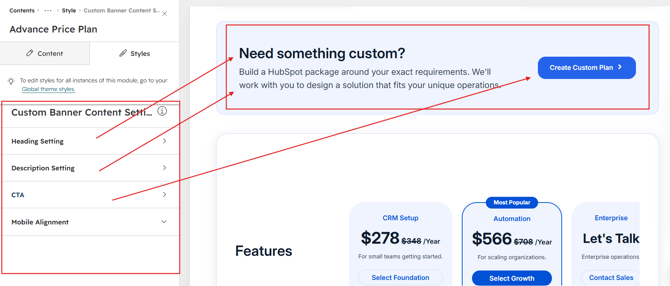
Custom Banner Content Styling :
Customize the typography and appearance of your custom banner content to match your website design.
Adjust font style, color, size, line height, spacing, background, border, corner, box shadow and mobile alignment for each content element.
Style the banner heading, description, and CTA independently for complete design flexibility.
Manage all content styling directly from the HubSpot editor.
Plan Table Column Styling :
Customize the appearance of your plan comparison table columns to match your website design.
Adjust the background, spacing, border, corner radius, and box shadow for a clean and polished layout.
Manage all column styling options directly from the HubSpot editor for a consistent comparison experience.
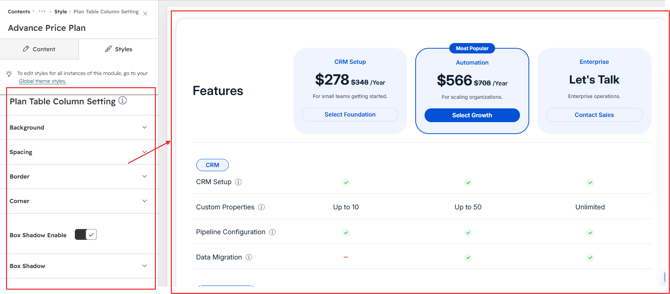
Table Price Card Styling :
Customize the appearance of the pricing cards displayed within the comparison table.
Adjust the background, spacing, border and corner radius for a clean and consistent design.
Manage all table price card styling options directly from the HubSpot editor.
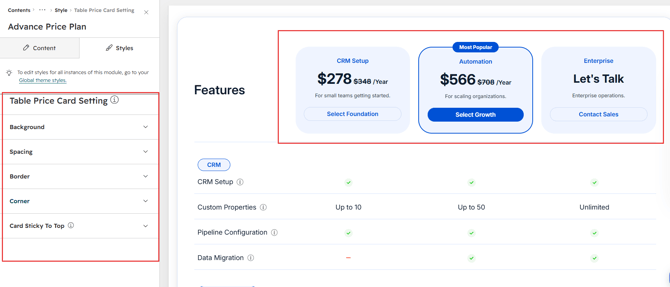
Table Price Card Content Styling :
Customize the typography and appearance of pricing card content within the comparison table.
Adjust font style, color, size, line height, spacing, and alignment for each content element.
Style the plan name, price, billing period, original price, and other pricing details independently.
Manage all table price card content styling directly from the HubSpot editor.
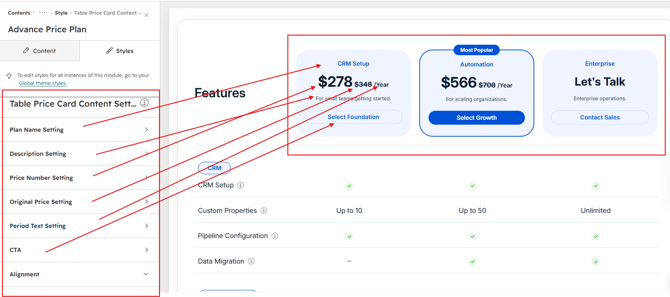
Table Mobile Tab Styling :
Customize the appearance of the comparison table tabs on mobile devices.
Adjust the background, spacing, border, corner radius, typography, and active-state styling for the tabs.
Create a clear and user-friendly tab experience that keeps your plan comparison easy to navigate on smaller screens.
Manage all mobile tab styling options directly from the HubSpot editor.
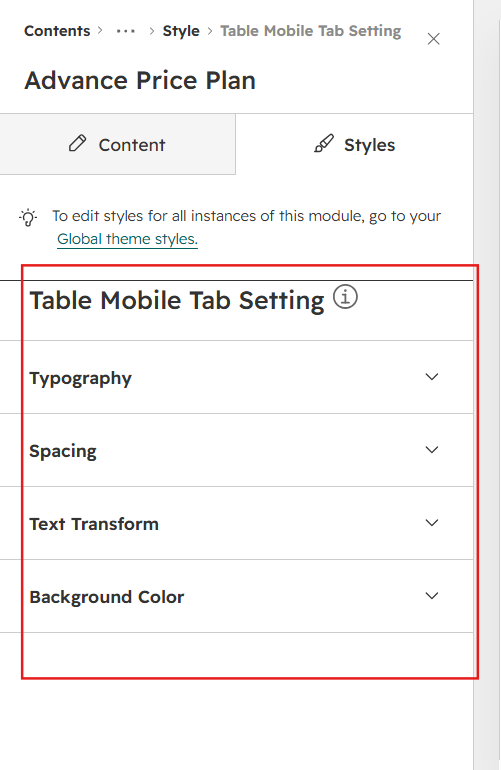
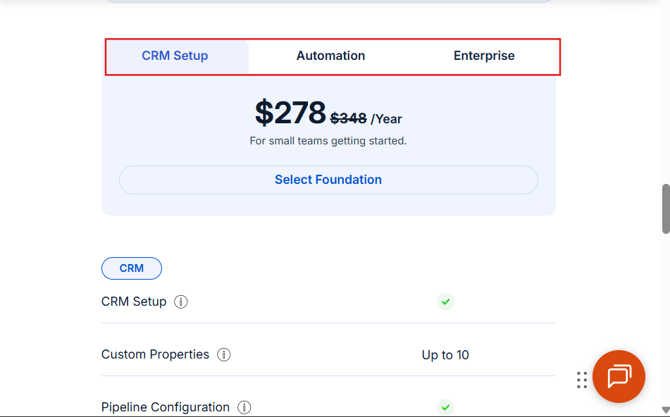
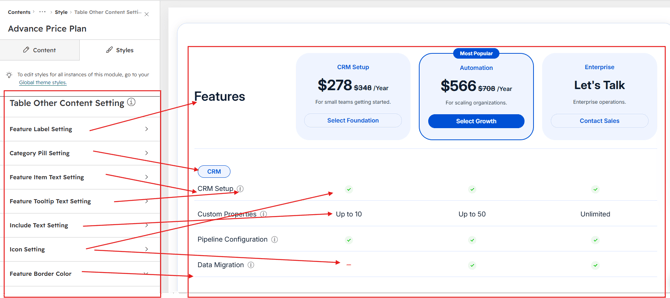
Table Other Content Styling :
Customize the appearance of feature labels and feature content within the comparison table.
Style the feature label, feature name, Include icon, Not Include icon, and custom text to match your website design.
Adjust typography, colors, spacing, and alignment for each table element as needed.
Customize all table border colors to create a clean and consistent comparison layout.
We hope you enjoy using our Advance Price Plan Module to create a seamless experience for both your users and your marketing team. At Code Accelerator, we're committed to ensuring your HubSpot experience is exceptional. If you need a custom HubSpot module or require a tailored HubSpot CMS or CRM setup, please don’t hesitate to Contact Us.